
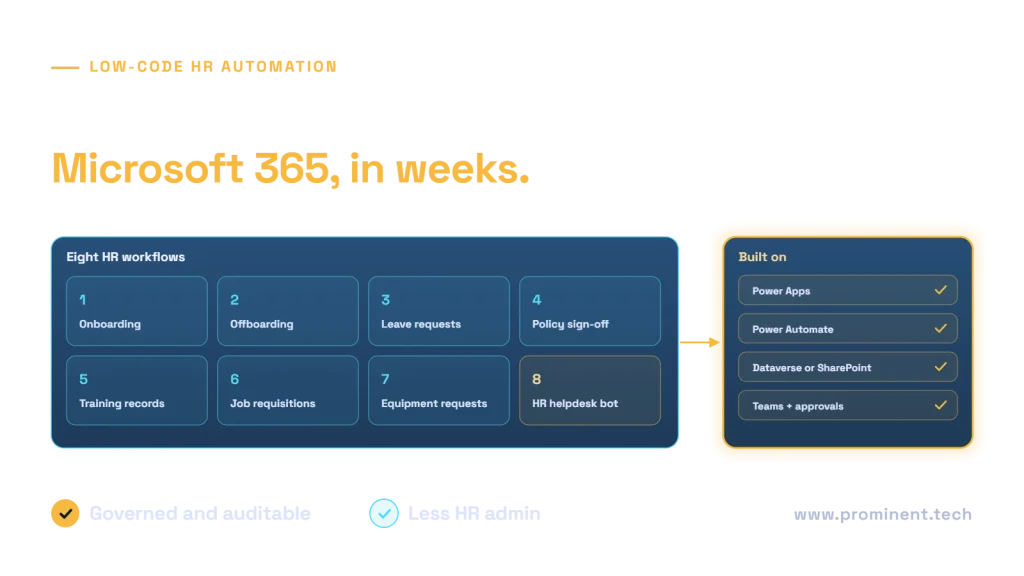
Low-code HR automation uses Power Apps, Power Automate, Dataverse or SharePoint, Teams and Copilot Studio to digitise HR processes such as onboarding, offboarding, leave requests, policy acknowledgements, training records, job requisitions, equipment requests and an HR helpdesk assistant. Because most organisations already use Microsoft 365, these workflows can be delivered in weeks rather than months, with approvals in Teams, data in one place and audit trails built in. Success depends on integrating with the HR system of record rather than duplicating it, protecting employee personal data, and governing the apps like any business system.
Key takeaways
- Use low-code for workflows around your HR system, not to replace it.
- Start with high-volume, rules-based processes such as onboarding and leave.
- Keep employee data protected with role-based access, data policies and retention.
- Use Teams approvals so managers act where they already work.
- Govern with environments, ALM and named owners from the first app.
Eight HR workflows to automate with low-code
| Workflow | What gets automated | Typical tools |
|---|---|---|
| 1. Onboarding | Accounts, equipment, induction tasks, document collection, checklists | Power Automate, Power Apps, Planner |
| 2. Offboarding | Access removal, equipment return, exit interview, final pay notification | Power Automate, Entra ID |
| 3. Leave requests | Requests, manager approval, balance checks, calendar updates | Power Apps, Teams approvals |
| 4. Policy acknowledgements | Distribution, reminders, signed records | Power Automate, SharePoint |
| 5. Training records | Assignments, due dates, certificates, expiry reminders | Power Apps, Dataverse |
| 6. Job requisitions | Requests, budget checks, multi-level approval, handoff to recruiting | Power Apps, approvals |
| 7. Equipment and access requests | Requests, approvals, IT tickets, tracking | Power Apps, Power Automate |
| 8. HR helpdesk assistant | Answers policy questions, creates cases for HR | Copilot Studio, SharePoint |
Approval patterns are covered in Power Automate approval workflows; Microsoft documents the basics in getting started with approvals. For the helpdesk assistant, see Copilot Studio knowledge sources.
Low-code HR automation architecture
The HR system remains the system of record for employees, positions and pay. Power Automate reacts to events in it, such as a new hire, and orchestrates tasks across Microsoft 365 and IT systems. Model-driven Power Apps on Dataverse suit structured HR data with security roles; see canvas vs model-driven apps and choosing a backend.
Example: automated onboarding
Protecting employee data
- Apply role-based security so only HR and relevant managers see personal data.
- Keep sensitive records, such as health or disciplinary data, out of general-purpose lists.
- Use data loss prevention policies to control which connectors HR apps can use.
- Set retention periods in line with employment record guidance, such as the ICO’s employment guidance in the UK.
- Log access and changes for audit.
Governing low-code HR apps
Use separate development, test and production environments, solutions and pipelines for releases (see Power Platform ALM explained), named business and technical owners, and documentation. HR processes change with policy, so build them to be configurable.
When low-code is not enough
If you need a candidate-facing recruitment portal at scale, complex payroll logic or very high volumes, custom development or a specialist HR product may fit better. See Power Apps vs custom development and our guide to modernizing a legacy recruitment platform.
Common questions
What HR processes can be automated with low-code?
Common examples are onboarding, offboarding, leave requests, policy acknowledgements, training records, job requisitions, equipment requests and HR helpdesk questions.
Should Power Apps replace our HR system?
Usually not. Keep the HR system as the record of employees and pay, and use low-code to automate the workflows around it.
Is employee data safe in Power Platform?
It can be, with role-based security, data loss prevention policies, retention settings and audit logging configured correctly.
How long does it take to automate an HR workflow?
A single workflow such as leave requests can take a few weeks; a full onboarding process with integrations typically takes six to ten weeks.
Can an AI assistant answer HR policy questions?
Yes, using Copilot Studio or a custom assistant over approved policy documents, with sensitive cases handed to HR staff.
Automate HR workflows in Microsoft 365
Share the HR processes that take the most time. Our Power Platform team will design and deliver governed low-code workflows integrated with your HR system.