
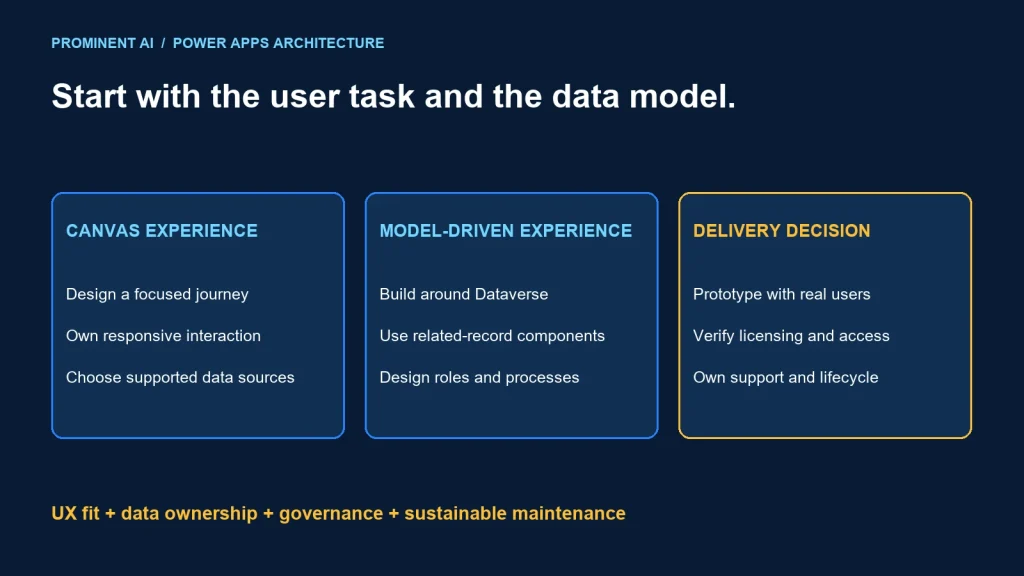
Choose a canvas app for a deliberately designed task experience, and a model-driven app when a Dataverse-centered business process benefits from standard forms, views and related-record navigation. Decide from user work, data ownership and governance before choosing the designer. The two approaches can complement each other.
Key takeaways
- Model-driven apps require a Dataverse data model.
- Canvas apps offer layout control and connections to different data sources.
- Either approach needs backend access controls, lifecycle ownership and user testing.
- Licensing depends on the actual capabilities and user scenario, not just the app label.
Canvas vs model-driven apps: the architecture difference
Microsoft’s model-driven overview describes Dataverse tables, relationships and components such as forms and views. This approach fits data-dense processes where users navigate related records. The standard interface reduces layout decisions, while the data model and process still need careful design.
Microsoft’s canvas overview describes a custom design surface and connections to several data sources. That flexibility suits a focused task, but the team must deliberately design responsive behavior, accessibility, navigation and error handling.
A canvas app can use Dataverse; Dataverse is not reserved for model-driven apps. Conversely, a custom screen does not automatically require replacing a whole model-driven process. Evaluate supported ways to combine experiences while preserving one coherent data and security model.
| Area | Canvas consideration | Model-driven consideration |
|---|---|---|
| Experience | Design task flow and layout deliberately | Use standard record/process components where they fit |
| Data | Choose supported sources and query behavior | Design Dataverse tables and relationships |
| Maintenance | Own formulas, screens and reusable components | Own model, forms, views and extensions |
| Governance | Review app access, connections and source permissions | Review app access and Dataverse security/process configuration |
| Fit | Focused task or specialized interaction | Related records and a consistent operational workspace |
This table is a decision aid, not a guarantee of delivery speed. A poorly modeled process can be difficult in either designer. Include validation, integration and support effort in estimates.
A practical selection matrix
| Requirement | Starting candidate | Evidence to obtain |
|---|---|---|
| Guided inspection with a specialized capture screen | Canvas experience | Task usability, device behavior and supported data access |
| Case management across related business records | Model-driven experience | Dataverse relationships, roles and standard component fit |
| Several systems supply data | Evaluate integration and then UI choice | Ownership, latency, permissions and failure behavior |
| One custom step inside a larger record process | Evaluate a supported combined design | Navigation, shared context and lifecycle support |
| Complex transactional domain logic | Evaluate owned backend services | Consistency, authorization and maintainable boundaries |
Do not let a familiar tool settle an unanswered data question. If the team cannot define the authoritative record, UI customization will not solve conflicting updates. Resolve ownership before connecting several writable sources.
Interview users about their real work. A field operator may need a short sequence of large controls; a case manager may need lists, related history and several views. “Mobile app” and “enterprise app” are too broad to choose an architecture.
Worked example: inspection capture and review
Consider a fictional equipment-inspection process. Inspectors record findings, supervisors review exceptions and operations teams track equipment history. This is a proposed architecture example, not a completed client project.
Inspector task experience → inspection record + validation
                                  ↓
                       approved data model and permissions
                                  ↓
Supervisor workspace → exceptions, review and related equipment history
                                  ↓
Integration boundary → approved work order / external system

Shared concerns: identity, versioning, monitoring and recovery
A canvas candidate can focus on the inspector’s sequence, required fields and clear save state. A model-driven candidate can support reviewers navigating equipment, inspections and follow-up records. If both use a common approved Dataverse model, define roles and relationships once rather than duplicating business identity.
Keep acceptance of an inspection distinct from acceptance by an external work-order system. A successful local save should not falsely claim the downstream action completed. Show pending or rejected integration status and provide an owned correction path.
For unreliable connectivity, verify the exact supported offline design rather than assuming it follows from app type. Test the selected client, data sources, synchronization conflicts and attachment behavior on real target devices.
Where the process requires server-side invariants, enforce them at a trusted boundary. Hiding a control or disabling a button improves the experience but does not replace permission checks or authoritative validation.
Security, data and lifecycle governance
List the users, data and actions before sharing the app. App access and data access are different decisions. A person able to launch an interface should receive only the records and operations required for their role.
Review connection ownership and source permissions. Avoid a production workflow whose only credential belongs to a departing employee. Establish approved service or user connection patterns according to platform capabilities and organizational policy.
Separate development, test and production. Use supported solution and configuration mechanisms, preserve environment-specific connection settings and verify that a test app cannot accidentally write to production sources.
Test realistic data volume. A screen that appears correct with twenty records can show incomplete results or poor performance when its query behavior does not scale to the source. Review delegation, filtering, pagination and backend limits for the chosen design.
Include keyboard, screen-reader, contrast and touch testing. Standard components offer useful foundations, but custom extensions and the completed workflow still need verification. For a canvas design, evaluate responsive containers, focus order and error announcements early.
Version business rules and integrations alongside UI changes. A renamed field or new required value can affect downstream flows and reports. Keep a dependency inventory and a rollback or forward-repair plan.
Licensing: review the complete solution
Microsoft’s Power Apps licensing FAQ describes premium capabilities and user entitlements. Dataverse, premium connectors and other capabilities can affect licensing. Review current terms for makers, end users, embedded scenarios and associated automation.
Do not assume that an existing Microsoft 365 or Dynamics license grants every required right. Identify the exact subscription and usage scenario with the organization’s licensing owner. A successful trial run is not evidence of production entitlement.
Build a bill of materials covering user populations, apps, environments, connectors, automation and storage/capacity assumptions. Verify any guest, external-user or unattended scenario separately rather than applying a workforce assumption to it.
Compare total ownership cost: design, data modeling, integration, support, administration and licenses. A cheaper-looking UI can cost more if it duplicates security logic or requires extensive manual reconciliation.
Licensing and product details were checked on 4 November 2026. This article avoids static prices and does not substitute for the current agreement or vendor confirmation.
Pilot the user task and operational model
- Define the task, roles and acceptance criteria.
- Model the authoritative records and relationships.
- Prototype one realistic capture or review journey.
- Test permissions and invalid state transitions.
- Exercise slow sources, failed saves and integration rejection.
- Validate devices, accessibility and representative volume.
- Deploy through the intended environment process.
- Confirm licensing, support ownership and recovery.
For the inspection example, ask an inspector to complete and correct a record, then ask a supervisor to find and resolve an exception. Measure whether they understand the saved state and next action rather than judging the app only by screen appearance.
If both app types meet the task, choose the one whose data model, maintenance and support responsibilities the team can sustain. A combined design should earn its extra complexity through a clear user benefit.
See the workflow automation comparison for connected processes and the CRM–ERP synchronization guide for data ownership.
Common questions
When should you build a model-driven Power App?
When a Dataverse-centered process benefits from standard forms, views and navigation across related records. Validate the fit with real users.
Can a canvas app use Dataverse?
Yes. Choose the data source from the architecture and governance requirements; canvas does not mean Dataverse is excluded.
Are canvas apps automatically responsive?
Design and test responsive behavior for the intended devices rather than assuming a custom layout will adapt correctly.
Does sharing the app grant all required data permissions?
No. Verify the underlying data-access and connection permissions separately.
Is one app type always cheaper?
No. Compare the complete implementation, current entitlements, integrations, maintenance and support model.
Choose the app architecture around your users and data
Bring the user journeys, data sources and governance needs. Plan a Power Platform implementation with a focused prototype and an operational design.