
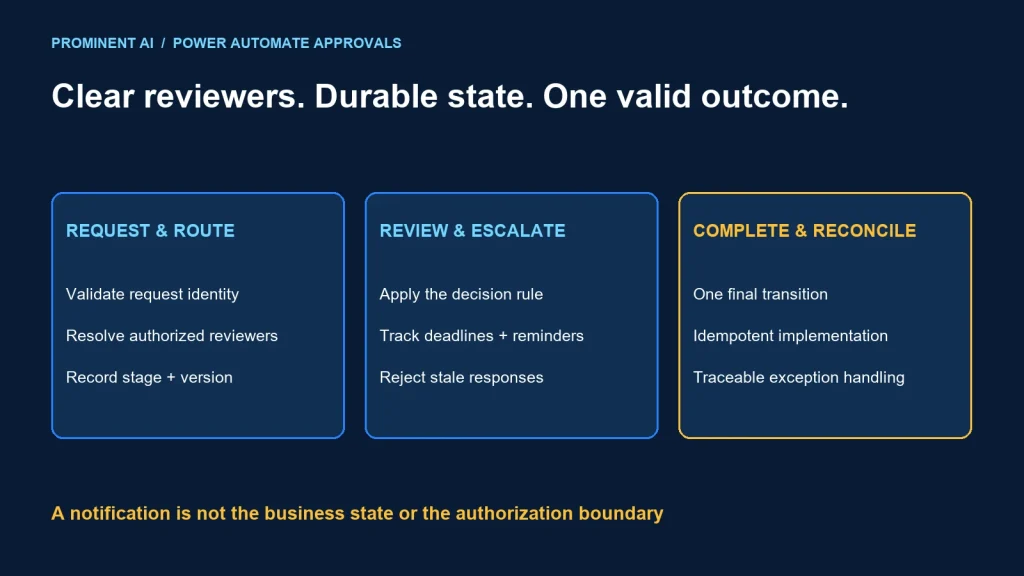
A reliable Power Automate approval workflow needs an explicit decision rule, durable request state, an escalation policy and an auditable final outcome. Parallel branches are useful when reviewers can decide independently. They do not by themselves define who can approve, how rejection works or what happens when an old response arrives after escalation.
Key takeaways
- Define whether one, every or a specific sequence of reviewers must respond.
- Separate business-request state from a single flow run.
- Make reminders, escalations and late responses part of the state model.
- Measure deadlines from stored timestamps and an agreed calendar.
- Prevent duplicate final actions when events are retried.
Sequential vs parallel approvals
Microsoft’s approvals overview describes approval types with different completion rules, including response-based and sequential choices. Select the rule before building the flow. “Parallel approval” should not mean that whichever branch finishes first accidentally controls the business outcome.
| Rule | Appropriate situation | Question to settle |
|---|---|---|
| One authorized responder | A team can accept responsibility through one reviewer | Who is allowed to be that responder? |
| All required reviewers | Independent departments must each sign off | Does any rejection end the request? |
| Sequential stages | Later review depends on an earlier decision | What moves the request to the next stage? |
| Custom quorum | A documented policy requires a threshold | How are abstentions, duplicates and timeouts counted? |
For a fictional access-change request, operations and security may review in parallel, followed by implementation only if both approve. A rejection ends that version of the request. This is an example policy, not a claim about how every organization should approve access.
Reviewers should receive enough context to decide without exposing unrelated records. Store a reference to the authoritative request and verify its access, rather than copying sensitive information into every notification.
Model the request independently of notifications
Submitted request → validation → Pending review
                                      ├─ all required approvals → Approved
                                      ├─ rejection → Rejected
                                      ├─ requester withdrawal → Cancelled
                                      └─ deadline → policy-defined escalation

Approved → separately authorized implementation → Completed or Exception

Every response: validate request + stage/version + reviewer + current state
Use a durable request record with an identifier, version, current stage, expected reviewers, timestamps and outcome. Link approval instances to that record. An email or Teams card is an interaction surface, not the entire business record.
Microsoft’s comparison of approval actions distinguishes creating an approval from waiting for its result. Choose the action pattern to fit the process duration and orchestration needs. Record the approval identifier so support can correlate the interaction with the request.
State updates need concurrency control. Two near-simultaneous responses must not both execute a final action or overwrite each other’s evidence. Use the storage platform’s supported conditional-update or transaction mechanisms and design retries explicitly.
Step-by-step implementation checklist
The following describes a proposed build sequence. It is not an exported flow or screenshots from a deployed customer environment.
- Create the request record: validate input, generate a stable identifier and store the initial status.
- Resolve reviewers: apply the approved routing policy and reject missing or invalid assignments.
- Create the approval: include a clear decision request and a secure link to supporting information.
- Record correlation: associate the approval identifier with the request, stage and version.
- Handle responses: validate the responder and current state before recording the decision.
- Evaluate completion: apply the explicit all/one/sequence/quorum rule.
- Run the approved next step: separate authorization from execution and protect against duplicate effects.
- Close and communicate: store the final result and notify the relevant participants.
Use solution-aware configuration for environments, connections and ownership. The Power Platform ALM guide covers how to move the tested configuration through release stages.
In parallel branches, avoid treating a shared variable as a safe database. Persist individual responses and evaluate the current record under a concurrency strategy. Design how the losing or delayed branch observes that the request is already closed.
Reminders, escalation and SLA tracking
Define the service-level target in business terms: elapsed time or business hours, applicable time zone, holidays, pauses and stage boundaries. Store UTC timestamps for events and calculate business-calendar deadlines through the agreed policy. Do not infer an SLA from when somebody happens to open an email.
| Event | Policy decision | State evidence |
|---|---|---|
| Reminder due | Notify the current valid reviewer without creating duplicate decisions | Reminder timestamp and request version |
| Reviewer unavailable | Use an authorized delegation or reassignment rule | Old/new assignment and reason |
| Deadline exceeded | Escalate, reject or route to exception handling as agreed | Deadline, transition and decision owner |
| Late response | Reject stale decisions or handle through a reviewed policy | Response version and terminal/current state |
The cloud-flow limits documentation sets a finite run duration that includes pending approval steps. Microsoft’s approval tutorial describes a durable approach for long-running approvals using Dataverse and separate flows. Do not assume one waiting run can hold a business process indefinitely.
The approval known-issues guidance also describes abandoned approvals and notification-state inconsistencies. Plan reconciliation of open requests and approval instances; a timed-out flow is not automatically the same thing as a cleanly cancelled business request.
Escalation must not silently grant a wider class of people authority. Record the permitted delegate or exception owner. Decide whether escalation retains earlier valid decisions or starts a new review version.
A small local state-machine fixture
We ran a Python fixture for a simplified two-reviewer policy. Eleven assertions passed: the all-reviewer gate, duplicate response handling, unknown reviewer rejection, terminal-state handling, rejection, escalation and stale-version handling. It runs in one process and does not call Power Automate, authenticate users or test concurrent database writes.
The excerpt below shows the response gate from that fixture. The caller-supplied role represents an already authenticated, authorized identity in the model; production must derive that identity from a trusted event, not user input.
    def respond(self,event,version,role,decision):
        if event in self.seen:return 'duplicate'
        if version!=self.version:return 'stale'
        if self.status!='pending':return 'closed'
        if role not in self.required:return 'unauthorized'
        if role in self.responses:return 'already_decided'
        if decision not in ('approve','reject'):return 'invalid'
        self.seen.add(event);self.responses[role]=decision
        if decision=='reject':self.status='rejected'
        elif all(self.responses.get(r)=='approve' for r in self.required):self.status='approved'
        return self.status
The fixture deliberately starts a new version and clears responses on escalation. That is one example policy, not a universal requirement. It makes the “old email response after escalation” case testable. Production storage must make the state transition and event deduplication durable and concurrency-safe.
Use this model as a discussion tool before implementing connector actions. Passing a local fixture does not prove a deployed approval flow handles retries, authorization or platform timeouts correctly.
Verification checklist before release
- Every required reviewer approves: exactly one final business transition.
- One reviewer rejects: no implementation action occurs.
- A duplicate event arrives: no duplicate decision or downstream effect.
- An unauthorized responder attempts a decision: reject it and retain safe evidence.
- A late response arrives after escalation: apply the approved stale-response rule.
- Two reviewers respond together: preserve both decisions without a lost update.
- A connection or flow fails: request state remains reconcilable.
- The requester cancels: pending interactions cannot later implement the old request.
- A long-running request exceeds a wait boundary: durable state supports recovery.
- A support operator investigates: correlation and timestamps explain the outcome.
Store reviewer identity, decision, stage/version, event time, correlation and the policy-relevant explanation. Keep retention and visibility appropriate to the organization’s requirements. Workflow history alone may not be the right long-term business audit record.
Common questions
How can you build multi-stage approvals in Power Automate?
Define ordered stages, store request state and reviewer assignments, correlate approval instances and advance only when the current stage’s completion rule is satisfied.
When should approvals run in parallel?
When reviewers can decide independently. Specify whether every reviewer, one reviewer or a documented quorum is required.
How should approval escalation work?
Use an approved reassignment or exception policy, retain the reason and version, and define how late responses are handled. Escalation should not silently widen authority.
Can a flow wait indefinitely for approval?
No. Design around current action and run-duration limits. Long-lived business state needs a durable pattern rather than an indefinitely waiting run.
How do you prevent duplicate approval actions?
Use stable request and event identifiers, validate current state and make final transitions and downstream effects idempotent with appropriate concurrency controls.
Design approvals around clear decisions and recoverable state
Bring the routing rules, deadline policy and exception cases. Plan a Power Platform implementation with a state model and repeatable approval tests.