
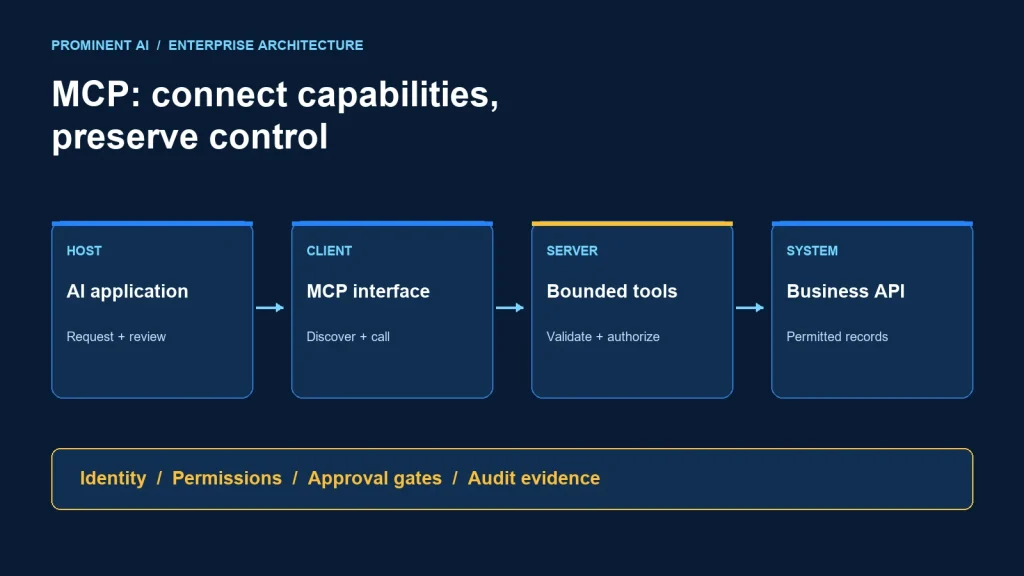
Model Context Protocol (MCP) gives AI applications a standard way to discover and call capabilities exposed by other systems. A host application manages MCP clients; each client communicates with a server that exposes a bounded interface to data or actions. MCP standardizes that exchange. Your application must still decide who may use a capability, which records they may access and when a proposed action needs approval.
For enterprise teams, the useful question is not simply whether a product supports MCP. It is whether the complete path from a person’s request to a business-system operation preserves identity, permissions, validation and accountability. This guide develops an illustrative service-desk architecture, a small local example and a review checklist for that path.
Key takeaways
- Separate the host, protocol client, server and downstream business API when assigning ownership.
- Expose narrow operations rather than unrestricted database access or arbitrary HTTP requests.
- Treat discovered descriptions and returned content as untrusted inputs.
- Enforce authorization in executable services, rather than relying on the model to follow instructions.
- Start with read-only use cases and test denied access before introducing write operations.
MCP architecture: host, client, server and business API
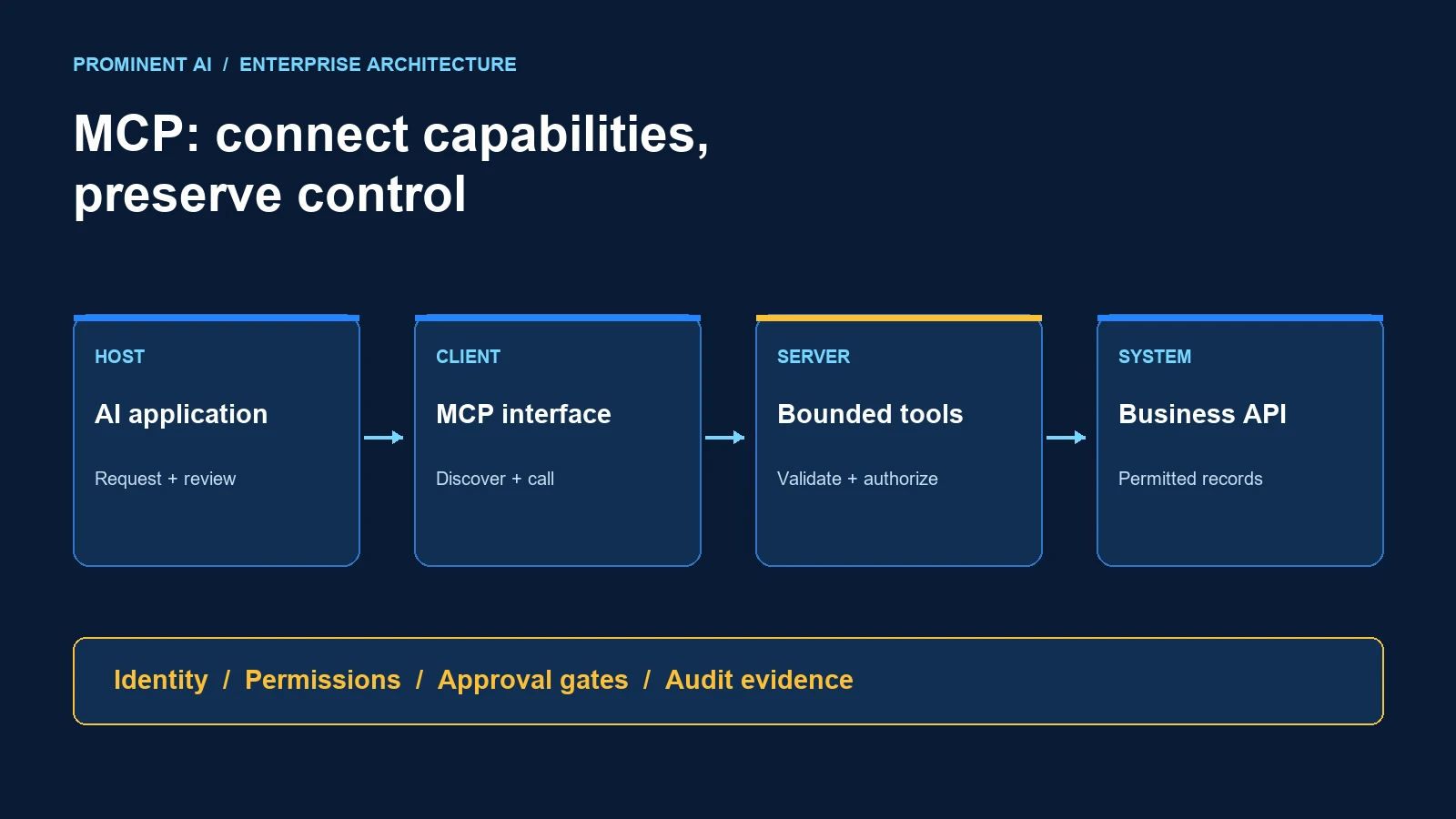
The host is the AI application people interact with. A protocol client is the component within that application that communicates with an MCP server. The server publishes capabilities and implements their handlers. A business API, document repository or database remains the system holding the authoritative information. Keeping these roles separate makes it easier to review where a request can gain access or cause a change. See the official MCP architecture overview for the protocol’s terminology.
| Component | Responsibility in the example | Enterprise design question |
|---|---|---|
| Host application | Accept the support specialist’s question and present the answer | Which capabilities are enabled, and how are approvals displayed? |
| MCP client | Discover the approved server’s tools and send structured requests | Which server identities and transport configurations are trusted? |
| MCP server | Validate requests and implement a bounded ticket lookup | How are callers authorized and responses minimized? |
| Service-desk API | Return the permitted ticket fields | Does the caller have access to this tenant and ticket? |
| Audit and operations services | Record outcomes and support recovery | Can an operator trace a request without exposing its sensitive contents? |
In our proposed architecture, the server is an adapter rather than a replacement for the service-desk platform. Business rules remain with the service that owns them. The adapter translates a small, understandable tool contract into that service’s supported interface.
Local and remote deployment choices
A local server runs in the user’s environment and can be connected over standard input/output. A remote server can be exposed through Streamable HTTP. Choose based on the actual access boundary: local execution is useful for a developer’s controlled workspace, while a shared enterprise integration often needs a managed remote service. Neither arrangement removes the need to review credentials, dependencies, logs and network access.
For a local process, review what the executable can read or run under the operating-system account. For a remote service, document the ingress rules, caller authentication, tenant isolation, secret handling and operational owner. Do not label a deployment secure merely because its endpoint uses HTTPS.
What do tools, resources and prompts represent?
MCP servers can expose callable tools, readable resources and reusable prompt templates. A tool could retrieve an allowed ticket summary; a resource could provide a particular support document; a prompt could offer a structured incident-review starting point. These concepts organize the integration interface. They do not establish business permission or prove that returned information is accurate. The official server tutorial explains the server-building primitives.
Choose capability names that describe business intent. get_ticket_summary is easier to assess than execute_query. Define required arguments, allowed formats, bounded response fields and predictable errors. A reviewer should understand the maximum effect of a tool without reading the entire prompt history.
Separate reading, preparing and executing
A ticket lookup, a proposed refund and an executed refund represent different authority. In a production design, give them different operations and authorization rules. An agent can gather evidence and prepare a proposed change, while an approval service binds the approved action to its exact target, amount and expiry. The write endpoint checks that approval again when executing. A natural-language “yes” stored somewhere in a conversation is not a durable authorization mechanism.
Worked example: retrieving a permitted support ticket
Consider a support specialist asking, “What is the current state of ticket T-1042?” The objective is a concise summary from the service-desk system, not a new ticket status inferred by a model. A reasonable implementation follows these steps:
- Establish the caller. The application determines the authenticated user and relevant organizational context through its trusted session.
- Select the approved capability. The host makes the reviewed lookup tool available for this workflow.
- Construct structured arguments. The proposed call contains the ticket identifier, rather than credentials or an arbitrary API URL.
- Validate and authorize. The server checks the argument format and verifies that the caller may read that ticket through the appropriate business service.
- Return a bounded result. Only the fields needed for the summary are returned, with an explicit outcome when access is denied or data is unavailable.
- Present and trace. The host displays the result with a source reference; operations telemetry records the request outcome and correlation identifier.
If authorization fails, the workflow stops. It must not try a broader administrator credential as a convenience fallback. If the upstream API times out, the application should report that it could not retrieve the current status rather than fill the gap with a plausible answer.
A small local MCP server example
The following teaching example exposes one read-only tool using the Python SDK’s FastMCP interface. It returns a fictional public demonstration record and contains no customer data or credentials. It is a local protocol example, not an authenticated enterprise deployment. The code has been syntax-checked for this article; it has not been integration-tested against your host or business systems.
import re
from mcp.server.fastmcp import FastMCP

mcp = FastMCP("Support ticket demo")
PUBLIC_DEMO = {
    "T-1042": {"id": "T-1042", "status": "awaiting review"}
}

@mcp.tool()
def get_demo_ticket(ticket_id: str) -> dict:
    """Read a fictional public demo ticket. No real records."""
    if not re.fullmatch(r"T-[0-9]{4}", ticket_id):
        raise ValueError("Use the format T-1234")
    record = PUBLIC_DEMO.get(ticket_id)
    if record is None:
        return {"found": False}
    return {"found": True, "ticket": dict(record)}

if __name__ == "__main__":
    mcp.run(transport="stdio")
Install and lock a compatible official Python MCP SDK release in an isolated environment, then configure an MCP-compatible host to launch the interpreter and this file. Use the SDK’s documented inspector or host tooling to discover and call the tool. The file should not print ordinary log messages to standard output because that channel carries protocol traffic. Send diagnostics to standard error.
Acceptance cases for the demonstration
| Input | Expected outcome | Reason |
|---|---|---|
| T-1042 | Found, with the fictional status | The requested demo record exists |
| T-9999 | Not found | A valid identifier need not correspond to a record |
| 1042 | Validation error | The identifier format is invalid |
| A URL or query string | Validation error | The tool does not accept arbitrary destinations or queries |
To extend this pattern into a real integration, replace the demonstration store with a server-side client for a supported business API. Derive caller identity from validated authentication, not a user-supplied user_id argument. Add per-record authorization, response-field restrictions, timeout handling and an audit policy before allowing real records.
Enterprise MCP security: review the full trust path
Protocol compatibility does not imply trustworthy behavior. Review servers and their downstream integrations as software with access to business systems. The MCP security guidance discusses risks including token passthrough, confused-deputy behavior and server-side request forgery. Those risks matter when a server delegates work or follows external addresses.
1. Keep authentication and business authorization distinct
Knowing which application made a call does not answer whether the person behind it may access a payroll record, customer account or document. For our ticket design, maintain an explicit mapping from validated caller context to the service-desk permission check. Document whether an operation acts for a user or uses a service identity. Review the latter especially carefully because its reach may exceed the person’s normal access.
2. Avoid shared unrestricted credentials
A server with a single broad credential can accidentally turn a limited assistant into a cross-department data gateway. Prefer narrowly scoped integration identities and enforce record boundaries in the service. Keep secrets out of tool arguments, prompts and model-visible errors. Establish revocation and rotation ownership before rollout.
3. Treat retrieved content as data
A ticket body or retrieved document may contain text that asks an assistant to reveal secrets, ignore its instructions or invoke another tool. That text is evidence to interpret, not authority to expand access. In the proposed design, untrusted ticket content cannot alter the enabled tool set or bypass the server’s validation and permission checks. Test this with deliberately hostile demonstration records.
4. Bound actions outside the model
Use server-side constraints for destinations, allowed actions and maximum scope. A policy such as “never change a production ticket without approval” should become an enforceable execution rule. A prompt can communicate that rule, but cannot replace its implementation. For write operations, preserve an exact change preview and reject stale approvals after the target record changes.
5. Record useful evidence without copying sensitive content
A practical audit event can contain a request identifier, tool version, caller reference, authorization decision, upstream outcome and elapsed time. It does not automatically need the entire prompt, access token or record body. Define retention and access rules with the data owner. Keep security investigation needs separate from broadly accessible application-debug logs.
When should an enterprise use MCP?
MCP is a candidate when multiple AI applications need a consistent, discoverable interface to carefully bounded capabilities. It can reduce repeated adapter work at that interface. It does not eliminate the business APIs, data models, approval systems or integration ownership underneath it.
| Situation | Reasonable starting point | Trade-off to review |
|---|---|---|
| One application needs one stable API operation | A direct integration may be sufficient | A protocol adapter adds another component to maintain |
| Several AI hosts need the same bounded business capabilities | Evaluate a shared MCP adapter | Confirm actual client compatibility and authentication support |
| A fixed sequence must run reliably without model discretion | Use an explicit workflow and supported APIs | Discovery does not replace durable orchestration |
| A high-impact business change requires approval | Place a policy and approval service before execution | The approved change must be bound to the eventual operation |
| There is no clear business-system owner | Resolve ownership before deploying an adapter | A standard protocol cannot repair unclear accountability |
For the broader distinction between generating an answer and performing controlled actions, read Agentic AI vs Generative AI. For application-level orchestration choices, see LangChain vs LangGraph vs AutoGen. These are related decisions, not competing names for MCP.
A practical enterprise rollout checklist
- Choose one bounded outcome. Begin with a permitted ticket summary or document lookup. Specify the source of truth and the fields the user needs.
- Write the capability contract. Define argument formats, response fields, permission checks, expected errors and maximum effect.
- Map the trust boundaries. Identify the host, server, authentication service, downstream API and every place content crosses a boundary.
- Test failure paths first. Include denied access, revoked access, invalid arguments, upstream timeouts, malicious content and duplicate calls.
- Set operational limits. Agree request timeouts, concurrency, rate limits and a measurable reliability objective appropriate to the workflow.
- Review change management. Version capability contracts, validate updates in a non-production environment and retain a rollback path.
- Expand authority deliberately. Introduce write operations only after the read path, approvals and incident response are understood.
Measure completion of authorized tasks, denied-access correctness, response quality, latency and operator intervention. Establish a baseline before claiming a productivity improvement. The example in this article is an architecture proposal; it does not represent a completed client project or a measured performance result.
Common questions about Model Context Protocol
How does MCP connect AI agents to enterprise tools safely?
Is an MCP server the same as a REST API?
Does MCP give an AI model permission to access all company data?
Should we start with a local or remote server?
Can MCP replace workflow orchestration?
How do we assess an MCP integration before production?
Plan a bounded AI integration
Prominent AI Services LLP can help scope the application, data boundaries and integration responsibilities for a practical starting point. Discuss an AI agent integration assessment with a defined use case, approved data sources and acceptance criteria.
Technical references reviewed 2 November 2026. SDK and host support evolve; pin and validate the releases used in your deployment.