
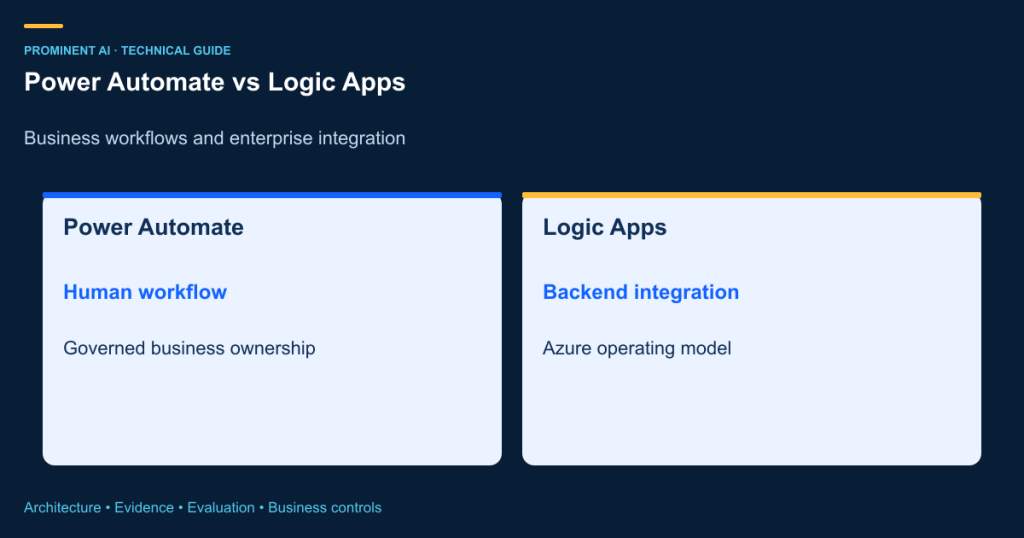
Power Automate generally fits business-owned automation and human workflows in the Power Platform ecosystem. Azure Logic Apps generally fits developer-operated integration with Azure resource, deployment and networking requirements. Neither is universally cheaper or more scalable for every workload. Choose by ownership, connectors, identity, operating constraints and total cost. A hybrid can preserve a business approval experience while placing backend orchestration behind a controlled Azure interface.
The difficult cases are not simple demonstrations. They involve a flow shared by several departments, privileged connections, an ERP integration, unpredictable volume and a service desk that must recover failures. A connector icon can make two platforms look equivalent while their licensing, release and support responsibilities differ. Compare the complete workflow and operating model before migrating it.
Key takeaways
- Separate Power Automate cloud flows from desktop robotic process automation.
- Logic Apps Consumption and Standard have different hosting and billing models.
- A Microsoft 365 entitlement is not an unlimited license for every premium scenario.
- Connector availability does not establish identical actions, identity or limits.
- Design retries, idempotency and human approvals explicitly on either platform.
- Migrate a workflow because requirements justify it, not because another platform appears more technical.
What each platform is designed to do
Power Automate supports cloud workflows triggered by events, schedules or user actions, and desktop automation for suitable applications. Business makers can build processes within a governed Power Platform environment, while professional developers can contribute connectors, solutions and APIs. Low-code does not eliminate application lifecycle, access or support responsibilities. A flow owned by an employee account can become an operational dependency when that employee leaves.
Azure Logic Apps provides workflow orchestration using triggers, actions and connectors. Consumption and Standard differ in runtime and hosting model; Standard can host multiple workflows within its resource model. Select the actual plan and connector behavior before making architectural claims. Desktop RPA is a distinct requirement rather than an interchangeable Logic Apps action. New AI-oriented offerings should also be evaluated separately from established deterministic workflows.
| Dimension | Power Automate | Azure Logic Apps |
|---|---|---|
| Primary ownership | Business process and Power Platform teams | Integration and Azure engineering teams |
| Authoring | Cloud flow and desktop experiences | Azure and developer workflow tooling |
| Resource boundary | Environment, solution and connection governance | Azure resources and selected hosting model |
| Human workflow | Approvals and user-centered process integration | Can orchestrate human steps with an appropriate interface |
| Desktop RPA | Relevant desktop flow capabilities and entitlements | Not a direct equivalent desktop RPA product |
| Hosting | Managed Power Platform service | Consumption or Standard architecture |
| Connectors | Verify action, licensing and identity support | Verify built-in versus managed connector behavior |
| Identity | User or service connections as supported | Managed identity or other methods where supported |
| Networking | Evaluate supported enterprise connectivity | Plan-specific network integration and endpoints |
| Deployment | Solutions and environment-specific configuration | Reviewed workflow and infrastructure deployment |
| Monitoring | Power Platform administration and run evidence | Azure monitoring and workflow run evidence |
| Cost model | User, capacity and applicable usage entitlements | Operations or hosted capacity plus related services |
Use the table as a requirements checklist, not a secure-versus-insecure ranking. Both require correct configuration and ownership. Validate the precise action, trigger, authentication mode and downstream system limits for a critical connector. A successful prototype using a personal connection does not prove that the production identity model is approved.
Architecture A: a business-owned approval workflow

Consider a purchase request. The flow checks required fields, obtains the appropriate approval and calls an approved purchasing interface. The approver identity, decision and request version must be retained. If the underlying request changes materially after approval, the old approval should not authorize a different transaction. A failed system update needs reconciliation; rerunning the entire flow can otherwise repeat a completed action.
Architecture B: an Azure integration workflow

An order integration can accept an authenticated event, validate its schema, look up reference data and call an ERP API. Place throttling and retry policies around downstream limits. Distinguish a transient failure from an invalid business request. Use a stable operation identifier, avoid unlimited retry loops and send unresolved exceptions to a monitored queue. Log correlation and status without exposing unnecessary sensitive payloads.
Architecture C: combine the platforms only for a real boundary

The hybrid is justified when business makers should own the approval experience but integration engineers must operate private or complex backend orchestration. It introduces two administrative and billing boundaries, so keep the contract small. Do not assume the initiating user’s permissions automatically propagate through service connections. Decide whether the backend acts for the user or under an application identity, and enforce the appropriate authorization at the API boundary.
Licensing and billing: compare the actual workload
Microsoft’s Power Automate license types distinguish user and capacity licensing, with additional considerations for unattended or hosted automation. Existing Microsoft 365 or Dynamics rights can be limited. Check the current licensing guide, connector classification, users, process scope and applicable request allocations. A shared service account is not a reliable shortcut around licensing requirements.
For Logic Apps, Microsoft’s billing documentation distinguishes Consumption operations from Standard hosting and connector-related charges. Include storage, monitoring, networking and any integration-account needs where applicable. A Standard host can incur capacity cost even when traffic is low; Consumption cost depends on the executed workflow and metered operations. Neither statement by itself establishes which is cheaper for a specific organization.
| Cost component | Power Automate planning question | Logic Apps planning question |
|---|---|---|
| Core entitlement | Which users or processes require which rights? | Which plan and host capacity are required? |
| Execution | What request and usage allocations apply? | Which triggers, actions and connector operations are metered? |
| Connectors | Are premium or custom capabilities licensed? | Built-in or managed connector, and which tier? |
| RPA and AI | Are bots, hosted machines or AI capacity needed? | Is an additional service or application required? |
| Operations | Who supports environments and connections? | Who supports Azure resources, telemetry and recovery? |
Do not invent a fixed price per workflow. For an explicitly illustrative comparison, model three workloads without inserting unverified vendor rates: a small approval pilot with 1,000 runs per month; a departmental integration with 10,000; and a larger service with 100,000. For each, record the number of users or processes, average actions, retries, polling, connector mix, payload retention and peak concurrency. Reprice using current regional rates and contract terms.
Power Automate monthly TCO = applicable user/process/capacity entitlement
  + applicable usage/add-ons + integration + support

Logic Apps Consumption monthly TCO = sum(metered operations x verified rates)
  + applicable connector/integration/storage/network/monitoring costs + support

Logic Apps Standard monthly TCO = chosen host capacity
  + applicable connector/storage/network/monitoring costs + support

Executed actions ≈ runs x actions per path + polling + retries + exception work
# A planning model, not a vendor quotation or universal billing formula.
Model peak and exception behavior, not just average successful runs. A polling trigger can create work when there are no new business transactions; retries and loops change operation counts. Discounted enterprise terms and existing entitlements affect the comparison. Recheck official pricing immediately before procurement and retain the dated assumptions with the estimate.
Governance, identity and lifecycle
Power Platform governance should establish environments, solution ownership, data policies, connection references, deployment controls and support accounts. Azure governance should establish subscriptions, resource policies, RBAC, network boundaries, identity and deployment pipelines. Neither control set automatically substitutes for the other. Review data movement at the action level; a workflow that can read one system and write another may create an unintended disclosure path.
Use least privilege and separate development from production. Verify whether a selected connector supports the desired identity model rather than assuming managed identity works everywhere. Protect run histories because they can contain business data. Set appropriate retention, redaction and support access. Test account departure, credential rotation, revoked permissions and connector throttling before relying on the workflow as a business service.
Keep approval semantics explicit. A timeout, rejected request and missing approver are different outcomes. Escalation must follow business authority, not silently convert a missing response into approval. For long-running processes, preserve state and a clear current status. Operators should be able to distinguish waiting for a person from a failed integration.
Enterprise scenarios: which approach fits?
| Scenario | Likely starting point | Reason and constraint |
|---|---|---|
| Employee approval | Power Automate | Business ownership; verify identity and entitlement |
| Desktop-only application | Power Automate desktop assessment | RPA may fit; UI fragility and bot rights matter |
| High-volume backend messages | Logic Apps assessment | Azure operations and connector limits drive choice |
| Private enterprise API orchestration | Logic Apps Standard assessment | Verify networking and authentication requirements |
| Teams-centered request | Power Automate or suitable application integration | Preserve user context and review experience |
| ERP integration with human approval | Hybrid where justified | Separate approval ownership from backend support |
| Simple scheduled synchronization | Either after TCO comparison | Volume alone is insufficient |
| Customer-facing SaaS integration | Developer-operated API and workflow assessment | Tenant isolation and commercial terms matter |
Migration is a workflow redesign exercise
Microsoft publishes Power Automate to Logic Apps Standard migration guidance. Treat it as a starting point for assessing compatibility and benefits, not a promise that every flow transfers unchanged. Inventory triggers, actions, expressions, custom connectors, approvals, desktop dependencies, licensing and connection ownership. Map each capability to the destination and record gaps.
Rebuild and test authentication, error handling, deployment settings and monitoring. Compare outputs against representative historical inputs without causing duplicate external side effects. Run a controlled cutover with one owner for each business event; running both old and new triggers can double-process transactions. Retire the old connection only after reconciliation and rollback requirements are satisfied.
Microsoft’s separate automation-services comparison includes Azure Logic Apps Automation preview capabilities. Do not conflate that preview with established Logic Apps Standard or Consumption, or assume its billing and runtime behavior apply to every Logic Apps workflow. Verify feature maturity and contractual suitability for the selected service.
A practical decision and implementation checklist
- Name the business owner and production support owner.
- Document users, events, connectors, identities and network constraints.
- Measure current volume, peaks, failures and review effort.
- Compare licensing and total operating cost with dated assumptions.
- Prototype the hardest integration and recovery path.
- Test permissions, throttling, duplicate events and partial completion.
- Package configuration and releases through the appropriate lifecycle tools.
- Cut over deliberately, reconcile results and monitor cost and exceptions.
Start with Power Automate when the dominant requirement is a governed business-user process and the needed integrations fit. Start with Logic Apps when Azure-oriented integration operations and hosting controls dominate. Use a hybrid only when it creates a useful ownership boundary. Reassess if a simple workflow becomes a critical service: the right answer can change as requirements evolve.
Frequently asked questions
What is the main difference between Power Automate and Logic Apps?
Power Automate is generally centered on business automation within Power Platform, including user workflows and desktop automation. Logic Apps is generally centered on Azure integration orchestration and developer operations. The exact choice depends on ownership, connectors, identity, hosting and lifecycle requirements.
Is Logic Apps always cheaper?
No. Compare the actual licensing, host, connector, operation and support costs for the workload. Existing entitlements, low-volume idle capacity, retries and premium capabilities can change the result. Use dated regional rates and contract terms rather than a universal price-per-flow claim.
Does Microsoft 365 include every Power Automate capability?
No. Included rights can be limited, and premium, custom, process, RPA or other capabilities can require additional entitlement. Verify the scenario against the current licensing guide. A service account does not automatically remove licensing obligations.
Can both platforms be used together?
Yes, where an authenticated interface and clear ownership boundary justify it. For example, a business approval can invoke a backend orchestration. Define identity, correlation, retries and final status across the boundary, and account for both platforms’ governance and billing.
Does Logic Apps replace desktop RPA?
It is not a direct interchangeable desktop automation product. If a task requires interacting with a desktop-only application, assess Power Automate desktop or another suitable approach separately. UI automation introduces machine, identity, licensing and reliability considerations.
Are connectors identical on both platforms?
Do not assume that. Names can be similar while actions, triggers, authentication, limits or availability differ. Test the exact operation and identity model needed by the application, including downstream throttling and error behavior.
Can flows migrate automatically without changes?
Do not assume complete parity or a universal one-click migration. Inventory dependencies and review current Microsoft migration guidance. Connections, approvals, expressions, desktop steps and operational controls may require redesign and testing.
What is the difference between Consumption and Standard?
They use different hosting and billing models. Consumption meters applicable operations; Standard involves selected hosting capacity and additional applicable services or connector charges. Compare current documentation and workload requirements before choosing a plan.
Is managed identity available for every connector?
No universal assumption is safe. Verify support for the selected trigger or action, connector and hosting model. Where another authentication method is required, govern credentials and connection ownership explicitly and test rotation and revoked-access scenarios.
How should duplicate events be handled?
Use stable business operation identifiers, idempotent updates and reconciliation. A retry or repeated trigger should not create a duplicate order or payment. Workflow execution history alone is not a guarantee of exactly-once business effects across external systems.
Which platform is more secure?
Both require an appropriate design and configuration. Evaluate identities, permissions, data movement, network requirements, logs and operational ownership for the specific workload. A product label does not establish compliance or make an overprivileged connection safe.
Where should a comparison project start?
Map the workflow, owners, connectors and failure paths, then test the hardest integration. Establish a baseline and total-cost assumptions before selecting a platform. A small realistic proof is more useful than comparing designer screenshots alone.
Technical references
- Power Automate license types
- Microsoft’s billing documentation
- Power Automate to Logic Apps Standard migration guidance
- automation-services comparison
Technical source review: 1 November 2026. Illustrative architectures, assumptions and examples are not client implementations or measured production results. Deployment-specific verification is required.