
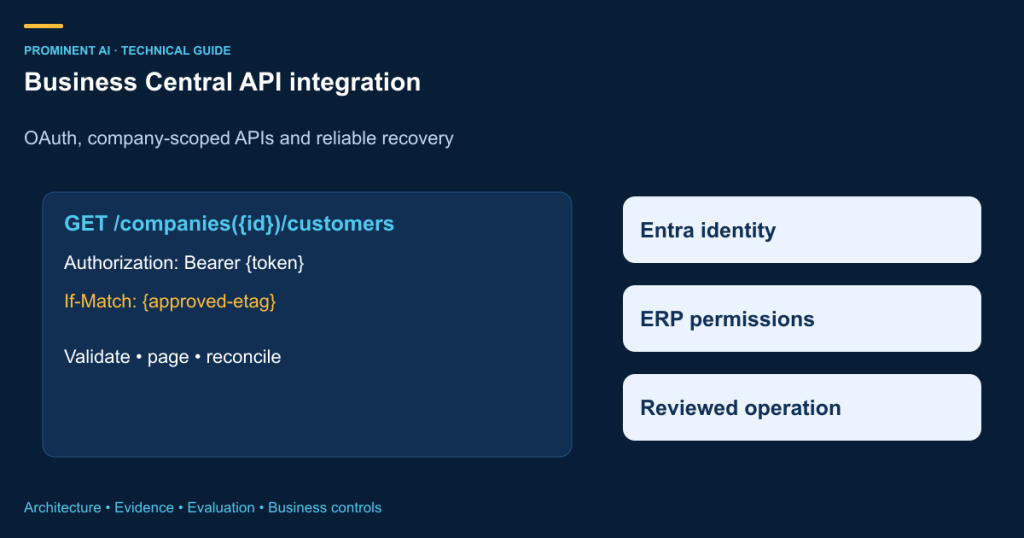
Business Central API integration connects external applications to ERP records through supported interfaces, OAuth authentication and Business Central permissions. For an unattended service, use an approved Microsoft Entra application and client-credentials flow, authorize that application inside Business Central, then call the appropriate company-scoped API. Reliable integration also requires validation, pagination, concurrency control, throttling handling and reconciliation—not only a successful GET request.
An e-commerce application, warehouse system or customer portal can need timely ERP information without directly accessing the database. The right boundary preserves Business Central behavior and permissions while exposing only the required operations. This guide uses Business Central online’s standard API v2.0 patterns. On-premises deployment, custom extensions and version-specific behavior require separate verification. All example identifiers and records are synthetic; no production credentials or writes are included.
Key takeaways
- Choose standard APIs before creating custom endpoints for an already supported operation.
- Entra consent and Business Central permission sets are separate authorization requirements.
- Distinguish the service URL version from the standard API version segment.
- Use actual entity ETags for concurrency-sensitive updates.
- A timed-out POST may already have succeeded; do not blindly repeat it.
- Follow server pagination links carefully and retain a reconciliation ledger.
Standard APIs, custom APIs and OData web services
| Interface | When to consider it | What to verify |
|---|---|---|
| Standard REST API v2.0 | A supported business entity and operation match the need | Fields, permissions, business validation and current documentation |
| Custom AL API | A stable, specific contract is not available in standard APIs | Publisher/group/version, validation, upgrade and extension ownership |
| OData v4 web service | A suitable published page or query supports the required access | Entity behavior, filtering, write support and lifecycle |
An ERP API is a business contract, not a generic table gateway. Creating a customer, modifying an invoice and posting a document are different operations. Verify which actions the selected endpoint supports and what validations apply. Do not implement direct database writes to imitate an API. Custom AL endpoints should expose a narrow versioned contract and preserve the required business rules.
Three integration architecture patterns
1. Direct synchronous REST

A direct backend call can be suitable for a small read or update workflow where latency and failure handling are understood. Do not place an application secret in a browser or mobile client. The backend should validate user authority before using its service credential. Keep a request identifier and a record of the outcome so the application can distinguish success, rejection and uncertainty.
2. Middleware-based enterprise integration

Middleware can centralize mappings, connection governance and recovery across several systems. API Management, Functions, App Service or Logic Apps are candidate Azure components, not prerequisites. Key Vault can support approved credential handling; Monitor or Application Insights can support telemetry. Avoid logging bearer tokens or full customer payloads. Keep data ownership and update direction explicit to prevent two systems repeatedly overwriting each other.
3. Event-driven asynchronous integration

Use asynchronous processing where temporary ERP unavailability should not block the source transaction. The source records durable intent, a worker applies the change and an outcome ledger records the result. A dead-letter queue needs an owner and a resolution process. If the source and queue cannot be updated atomically, consider an outbox pattern. Do not call the workflow complete merely because a message was accepted.
OAuth: authentication is only the first boundary
For an unattended integration, Microsoft documents client-credentials authentication using an application identity. A delegated flow acts in a user context and has a different consent and operating model. The Business Central service-to-service guide explains both application registration and Business Central configuration. Entra permission alone does not establish the application’s final ERP authority.
For general application API access, assess the relevant API.ReadWrite.All application permission and admin consent. Automation.ReadWrite.All concerns the automation API scenario, such as company setup, and is not a generic replacement for ordinary customer APIs. Register and enable the application in Business Central’s Microsoft Entra Applications configuration, then assign the least permission sets required for the intended companies and operations. Do not grant blanket privileges merely to make a test pass.
POST https://login.microsoftonline.com/{tenantId}/oauth2/v2.0/token
Content-Type: application/x-www-form-urlencoded

client_id={applicationId}
&client_secret={secret-from-approved-store}
&grant_type=client_credentials
&scope=https%3A%2F%2Fapi.businesscentral.dynamics.com%2F.default

# Placeholders only. Never paste a production secret into source or logs.
# Prefer an approved certificate/credential strategy for the deployed service.
The .default scope requests the application permissions configured and consented for that resource; it does not dynamically grant a new ERP permission. Cache tokens through a supported library and renew them appropriately. Rotate credentials, restrict access to the credential store and test revoked credentials. A successful token request proves authentication to the resource, not authorization to every company or record.
Connect to the standard API in ten steps
| Step | Action | Validation |
|---|---|---|
| 1 | Identify a permitted sandbox and environment | Correct tenant, environment and test-data ownership |
| 2 | Register the Entra application | Record client ID; protect credentials |
| 3 | Configure appropriate API permissions and consent | Confirm application rather than delegated scenario |
| 4 | Authorize the application in Business Central | Enable it and assign scoped permission sets |
| 5 | Acquire a token for the BC resource | No secret or token in logs |
| 6 | Discover companies through the API | Select the intended company ID |
| 7 | Configure Postman or an approved client | Bearer token and explicit environment variables |
| 8 | GET selected customer fields | Validate pagination and authorization |
| 9 | Test supported POST/PATCH in sandbox | Business rules, ETag and reconciliation |
| 10 | Exercise failures and recovery | Denied access, 429, timeout and partial completion |
# Base service path (online):
https://api.businesscentral.dynamics.com/v2.0/{tenantId}/{environment}

# Standard API version path:
/api/v2.0

# Discover companies:
GET {base}/api/v2.0/companies?$select=id,name

# Read selected customer fields:
GET {base}/api/v2.0/companies({companyId})/customers?$select=id,number,displayName
Authorization: Bearer {accessToken}
Accept: application/json
The first /v2.0/ belongs to the online service URL, while /api/v2.0 selects the standard API contract. Custom API paths use their own documented publisher, group and version. The environment name and company GUID are not interchangeable. Resolve the company explicitly and retain the mapping; never assume the first returned company is the correct target.
C# examples A–F: a controlled client foundation
Download the supporting source and diagrams (.zip)
Local verification: the supplied client compiled with .NET 10 with zero warnings and errors. It was not executed against a Business Central tenant, and no ERP records were read or written.
The package includes BusinessCentralClient.cs, a reusable illustrative client using MSAL, HttpClient and System.Text.Json. Its A–F methods cover token acquisition, authenticated requests, customer reads, creates, ETag updates, pagination and bounded GET retries. It is not connected to a tenant and has not performed ERP writes. A sandbox integration test and permission review are required before use; the code is not represented as a production-certified SDK.
A. Acquire and cache an application token
// Microsoft.Identity.Client; application instance reused by the service.
var app = ConfidentialClientApplicationBuilder.Create(clientId)
    .WithAuthority($"https://login.microsoftonline.com/{tenantId}")
    .WithClientSecret(secretFromApprovedStore) // certificate option for deployment
    .Build();
var token = await app.AcquireTokenForClient(
    new[] { "https://api.businesscentral.dynamics.com/.default" })
    .ExecuteAsync(cancellationToken);
// Never log token.AccessToken or the secret.
B and C. Send an authenticated customer query
using var request = new HttpRequestMessage(HttpMethod.Get, customersUri);
request.Headers.Authorization =
    new AuthenticationHeaderValue("Bearer", token.AccessToken);
request.Headers.Accept.Add(new MediaTypeWithQualityHeaderValue("application/json"));
using var response = await httpClient.SendAsync(request, cancellationToken);
response.EnsureSuccessStatusCode();
// Parse the value array and follow a validated @odata.nextLink if present.
// Reuse HttpClient through an appropriate application lifetime or factory.
D. Create a customer in a permitted sandbox
The documented customer-create operation uses POST and returns a created customer on success. Supply fields supported by that entity and the environment’s business requirements. This intentionally minimal synthetic payload is a starting point, not a claim that every company’s configuration accepts the same fields without additional setup.
POST {base}/api/v2.0/companies({companyId})/customers
Authorization: Bearer {token}
Content-Type: application/json

{
  "displayName": "Synthetic Integration Test Customer",
  "type": "Company"
}

# Record the returned ID. Do not automatically repeat an uncertain POST.
# Use an approved external-key/reconciliation design to avoid duplicates.
E. Update with an actual ETag
Read the entity and retain its @odata.etag. Send that exact value in If-Match when updating. If the entity changed, re-read and resolve the conflict rather than overwriting another user’s work. The customer-update documentation requires this header and describes PATCH behavior. Include only intended changed properties.
PATCH {base}/api/v2.0/companies({companyId})/customers({customerId})
Authorization: Bearer {token}
Content-Type: application/json
If-Match: {exact-etag-from-latest-approved-read}

{ "displayName": "Synthetic Customer - Reviewed Name" }

# Do not use If-Match: * as a default conflict-resolution policy.
F. Pagination, throttling and safe recovery
Follow the server’s @odata.nextLink instead of inventing page offsets. Validate that the next URL remains within the approved HTTPS host and environment/API path before attaching a bearer token. Set page and response-size limits appropriate to the task. Prevent a malformed or repeated next link from creating an endless loop. Use $select and supported filters to request only necessary data.
For safe reads, use bounded retries for selected transient failures and honor Retry-After where provided. Apply exponential backoff with jitter when no valid delay is supplied, a maximum attempt count, cancellation and an overall timeout. If the server requests a longer wait than the job can tolerate, defer the job instead of retrying sooner. For POST or PATCH, uncertain outcomes require operation-specific reconciliation; a generic retry wrapper can create duplicate or conflicting writes.
Performance, synchronization and failure handling
Microsoft’s OData/API client performance guidance recommends controlling result size and query shape. A read-only data-access intent is a hint, not a guarantee that a secondary replica will serve the request. Measure the actual workload and avoid excessive expansions or chatty per-record requests. Batching can reduce transport overhead in suitable cases, but its transaction and error semantics need testing.
| Failure | Likely investigation | Safe response |
|---|---|---|
| 401 | Token resource, expiry or credential configuration | Refresh/reacquire appropriately; never log token |
| 403 | Entra consent or Business Central authority | Check both permission boundaries |
| 404 | Environment, company, entity or custom API path | Validate identifiers and contract |
| 409 or concurrency failure | Conflicting state or operation-specific rule | Re-read and resolve deliberately |
| 412 | ETag no longer matches | Reconcile changes before retry |
| 429 | Throttling | Honor delay; reduce concurrency |
| 5xx or timeout | Transient service issue or uncertain write | Bounded reads; reconcile writes |
| Validation error | Required field or business rule | Correct request; do not endlessly retry |
For synchronization, maintain stable entity mappings, change checkpoints and a recovery path. Deletions, renamed records and late updates need explicit treatment. Where webhooks are used, verify subscription lifecycle, renewal and supported resources; receiving a notification does not remove the need to fetch and authorize the current record. A scheduled reconciliation can detect missed or inconsistent updates. Define which system owns each field before enabling bidirectional writes.
Production-readiness checklist
- Sandbox proof and permitted synthetic records
- Least-privilege Entra and Business Central configuration
- Approved credential storage, token caching and rotation
- Verified company and entity mappings
- Schema and business-rule validation
- ETag conflict policy and uncertain-write reconciliation
- Bounded read retries and monitored dead letters
- Pagination host/path checks and job limits
- Redacted logs, correlation and support ownership
- Release, rollback and reconciliation procedures
Start with one supported business operation and prove its complete lifecycle. A production acceptance test should include a duplicate source event, revoked permission, stale ETag, throttled request and timeout after a write may have completed. Confirm that operators can see and resolve the resulting state. Good API integration makes failures recoverable and auditable rather than merely hiding them behind a retry.
Frequently asked questions
Which Business Central API should I use?
Start with a standard API when it supports the required entity and operation. Consider a custom AL API for a specific missing contract, or a suitable OData service where appropriate. Verify business behavior and lifecycle rather than choosing solely from the field list.
Does Entra admin consent grant complete ERP access?
No. Business Central application registration, enablement and permission sets are a separate boundary. Configure both sides and apply least privilege for the intended companies and operations. A successful OAuth token does not prove authorization to every ERP record.
When is client credentials authentication appropriate?
It is suitable for an approved unattended application acting under its own identity. A delegated user scenario is different and needs an appropriate user authorization flow. Choose deliberately and document who is accountable for actions performed by the service application.
What is the correct OAuth scope?
For the Business Central resource in the illustrated client-credentials flow, request https://api.businesscentral.dynamics.com/.default. It uses configured and consented application permissions; it does not dynamically grant new authority. Verify the target tenant and environment independently.
Are API.ReadWrite.All and Automation.ReadWrite.All interchangeable?
No. They relate to different API scenarios. Automation permissions concern the automation API path and setup use cases, while ordinary business-data API access needs the appropriate general API configuration. Business Central permission sets remain necessary.
Why does the URL contain v2.0 twice?
The first version segment is part of the online service URL. The later /api/v2.0 selects the standard API contract. Tenant, environment and company identify different scopes. Custom APIs have their own documented publisher, group and version path.
How should customer updates handle concurrency?
Read the entity, preserve its actual ETag and use that value in If-Match for the intended update. If it is stale, re-read and resolve the conflict. Avoid default wildcard overwrites that can discard another user’s changes.
Can a timed-out create request be retried?
Not blindly. The ERP may have committed the record before the response was lost. Reconcile using an approved operation and external-key strategy before repeating the write. Do not assume an undocumented idempotency header makes every POST safe.
How should pagination work?
Follow the server-provided next link after validating its HTTPS host and approved path. Retain job limits and detect repeated links. Do not attach a bearer token to an arbitrary URL supplied in a response, and do not invent unsupported offset behavior.
How should throttling be handled?
Honor Retry-After where valid and use bounded retry with backoff, jitter and cancellation for safe reads. Reduce concurrency or defer work when necessary. Writes need operation-specific reconciliation rather than an indiscriminate retry policy.
Can the C# sample be used directly in production?
It is an illustrative client foundation, not a tenant-tested integration. Review dependencies, credential handling, permissions, business fields, retry behavior and logging. Compile and test it in a permitted sandbox before considering deployment.
Is middleware mandatory?
No. A direct backend integration can fit a bounded scenario. Middleware or asynchronous processing may help with multiple systems, mapping and recovery, but adds operating responsibilities. Choose the smallest architecture that meets the actual reliability and governance requirements.
Technical references
- Business Central service-to-service guide
- documented customer-create operation
- customer-update documentation
- OData/API client performance guidance
Technical source review: 1 November 2026. Illustrative architectures, assumptions and examples are not client implementations or measured production results. Deployment-specific verification is required.