
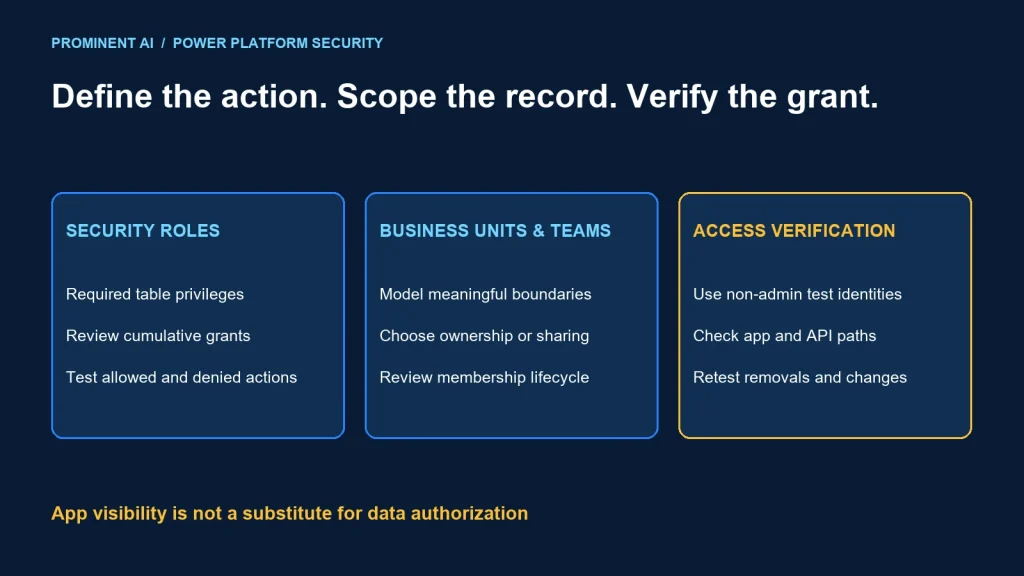
Dataverse security roles define privileges, business units help scope access, and teams organize shared ownership or collaboration. Design these together around real record-access requirements. App sharing, a hidden field or a filtered view does not replace data-layer authorization.
Key takeaways
- Start with permitted actions and records, not job titles alone.
- Effective privileges accumulate across roles and team memberships.
- Owner teams and access teams serve different purposes.
- Test denied access, membership changes and integrations as carefully as normal use.
Security roles vs business units vs teams
Microsoft’s security-role guidance describes privileges for actions such as read, write, create, assign and share. A user can receive several roles, and their privileges are cumulative. Adding a narrower role does not cancel a broader grant.
The ownership-security guidance explains how business units and role scope work together. A business-unit structure is a security design choice; it does not have to copy every department in the organizational chart. Modernized cross-business-unit options require their own deliberate configuration and testing.
Microsoft’s teams guidance distinguishes owner teams, access teams and Microsoft Entra group teams. Owner/group teams can hold records and roles; access teams support record sharing without owning records or receiving security roles themselves. Verify membership and inheritance behavior for the chosen design.
| Building block | Design question | Common misconception |
|---|---|---|
| Security role | Which actions and access depths are needed? | A restrictive role removes another role’s broad grant |
| Business unit | Which record boundaries and scopes are meaningful? | Every organization department needs its own unit |
| Owner/group team | Who should share ownership and role-based work? | Membership alone explains every effective privilege |
| Access team | Which collaborators need access to particular records? | It owns the record or has a security role |
These mechanisms are parts of an access model, not substitutes for one another. Inventory additional access paths such as record sharing, hierarchy configuration and application identities before explaining a user’s effective access.
A Dataverse trust-boundary diagram
User or approved workload identity
        ↓ environment admission and authentication
Application / API request
        ↓ Dataverse privilege and record-access evaluation
Permitted table + record + action
        ↓ additional sensitive-column and business validation controls
Read or approved state change

Review inputs: direct roles, team membership, ownership, scope and sharing
Review outputs: permitted access, denied access and auditable changes
This is an architecture review model, not a complete description of Dataverse’s internal evaluation order. Use the platform’s supported diagnostics to investigate actual access.
A screen can hide a button for usability, but an API caller may reach the underlying operation another way. Enforce access at the trusted data/action boundary. A view that filters out a record is not proof that the user cannot retrieve it.
Separate workload identities from human roles. An integration that imports approved records should not inherit administrator access simply because that makes an early test pass. Document its tables, actions and ownership behavior.
An enterprise role-mapping worksheet
For a fictional service-management application, list activities and record scope before creating roles. The following describes intended access, not a ready-made privilege configuration.
| Persona | Required work | Boundary to validate |
|---|---|---|
| Case worker | Read and update assigned cases | Unrelated teams’ cases remain inaccessible |
| Service supervisor | Review team workload and reassign within policy | Scope does not silently become organization-wide |
| Temporary specialist | Collaborate on selected cases | Access ends when collaboration ends |
| Reporting user | Read approved operational information | No unnecessary write/export privileges |
| Integration identity | Perform approved synchronization actions | No unrelated tables or administrative functions |
Use business language to approve this worksheet, then translate it into the actual table ownership types, role depths, teams and sharing rules. Do not promise a user-level ownership design for a table without checking its ownership model.
Review sensitive columns separately from row visibility. A user who can read a case may not need every confidential field. Confirm supported column-security behavior and its limitations for the selected columns.
Assign and share are consequential capabilities. Decide who may move ownership or extend record access, and test those operations independently from ordinary updates.
Row-access scenarios to test
Assigned worker and unrelated case
Create two cases with approved ownership. Verify the worker can perform the required action on the assigned case and cannot retrieve or modify the unrelated one through both the app and supported API. Use a non-administrator test identity.
Cross-team collaboration
Grant the specialist the intended access to one case. Verify the allowed action and deny access to other cases. Remove the collaboration membership or sharing through the supported process and check the resulting effective access.
Unexpected broad access
If a worker can read all cases, inspect every direct and team-derived role, record sharing and other configured access paths. Do not add a second restricted role and assume it subtracts access.
Business-unit change
Before changing the structure, model the effect on roles, record ownership and cross-unit collaboration. Validate existing and newly created records. A reorganization should not be implemented as a broad production permission experiment.
Integration-created records
Verify who owns imported records and who can subsequently read, update or reassign them. An integration can create a surprising access pattern even when its import completes successfully.
All scenarios here are proposed tests. No production environment or customer access model was modified to prepare this article.
RBAC and access-testing checklist
- Document each persona’s allowed table, record and action.
- Use separate test accounts without accidental administrator grants.
- Inventory direct roles, teams, sharing and other configured access paths.
- Test positive and negative cases through app and API.
- Verify read, write, create, delete, assign and share separately where applicable.
- Exercise related-record actions and required privileges.
- Test sensitive-column and export requirements.
- Remove membership/access and verify the resulting behavior.
- Validate integration identities and record ownership.
- Retest after solution deployment and organizational changes.
Keep expected results explicit. “The user can open the app” is not an access test for every record. Likewise, a failed screen operation can arise from business validation or a missing related privilege, not only from row access.
Capture safe evidence: test identity, intended role set, record reference, attempted action and result. Avoid copying confidential record contents into tickets merely to prove a permission issue.
Operate the access model over time
Name an owner for roles and team membership. Review broad grants, dormant integrations and temporary collaboration regularly. A good initial role design can drift through exception assignments.
Version role changes with the application release and test plan. Explain the business reason, affected personas and rollback or correction path. Use supported deployment and administration mechanisms rather than manual undocumented edits.
Review joiner, mover and leaver events. Changing a person’s department may require changes to roles, teams and owned work. Define how active business records are reassigned without losing operational accountability.
Use least privilege for troubleshooting. Broad administrator access can conceal the actual missing privilege, and leaving it assigned after diagnosis widens exposure. Find and correct the intended access path.
See the Power Apps architecture comparison for the application layer and the identity-protocol guide for authentication versus authorization.
Common questions
How do Dataverse security roles and business units differ?
Roles define privileges and access depth; business units contribute organizational record boundaries and scope. Design and test them together.
Does a restrictive role override a broad one?
No. Privileges accumulate. Review every assigned and team-derived grant when access is broader than intended.
What is the difference between an owner team and an access team?
An owner team can own records and hold roles. An access team supports sharing particular records without owning them or receiving roles itself.
Does sharing an app secure its data?
App access and data authorization are separate. Verify underlying record and action permissions.
How should temporary collaboration be tested?
Verify access only to intended records and actions, then remove the grant or membership and confirm the resulting effective access.
Design access around business work and clear boundaries
Bring the personas, table model and access scenarios. Plan a Power Platform implementation with a role map and repeatable permission tests.