
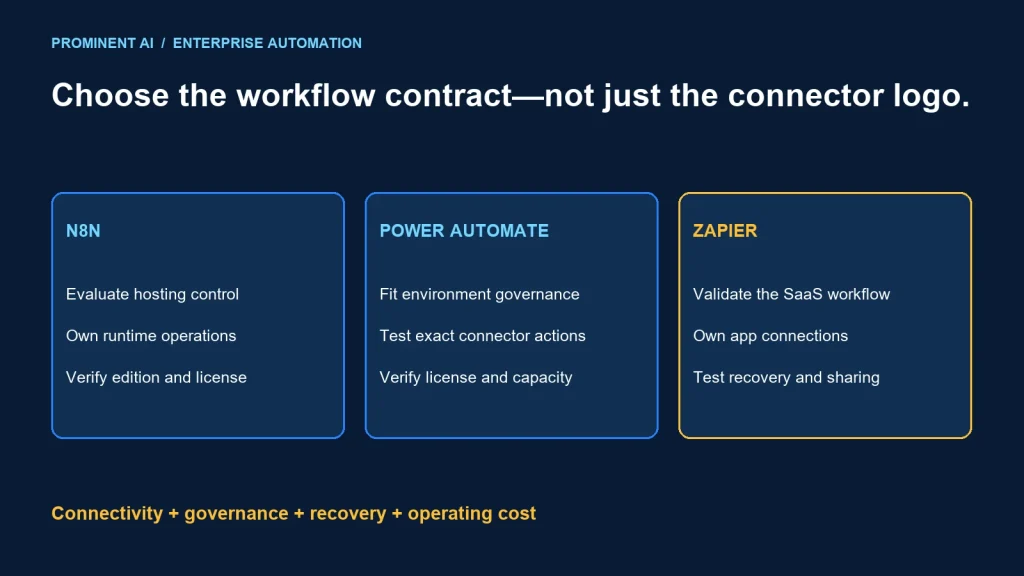
Choose n8n, Power Automate or Zapier by the workflow’s integration contract, operating model and governance requirements. Evaluate n8n when infrastructure control and developer-owned workflows matter, Power Automate for a Power Platform-centered operating environment, and Zapier for supported cross-SaaS automation. These are starting points for evaluation, not universal winners.
Key takeaways
- Test the exact connector operation, not merely an app logo.
- Self-hosting transfers operational responsibility; it does not automatically make a workflow secure.
- Connection ownership and least privilege matter on every platform.
- Price the production plan, workload and support model instead of comparing free demonstrations.
n8n vs Power Automate vs Zapier
n8n: evaluate the hosting and engineering model
The n8n hosting documentation describes deployment on customer infrastructure and differences between self-hosted editions. Hosting control can help teams align network access and operations with their environment. It also means assigning ownership of updates, backups, recovery, secrets and availability.
Do not describe source availability as an unrestricted license. Check n8n’s licensing guidance against the intended internal, embedded or customer-facing use. Verify the chosen edition’s security and collaboration capabilities before relying on them.
Power Automate: evaluate the Power Platform environment
Power Platform data-policy guidance describes connector groupings and tenant/environment controls. Those policies can constrain connector combinations; they do not replace the permissions of the connected system or prove that each connection targets the intended environment.
For a Microsoft-centered team, assess how the workflow fits existing administration, environments and release ownership. Confirm licensing and capacity requirements for the actual connectors and execution model. Do not assume an existing Microsoft subscription covers every production scenario.
Zapier: evaluate the supported SaaS path
Zapier’s connection documentation explains that connections use authorized app accounts and can be shared; Enterprise controls can govern connection use. The source account’s permissions remain important. Choose and maintain that account deliberately.
For a cross-SaaS workflow, test the supported trigger, fields and actions against your process. A quick successful run is useful evidence, but not enough to approve high-impact writes, broad credential sharing or an unowned workflow.
Capabilities, limits and plan entitlements change. This comparison was checked against vendor guidance on 4 November 2026; reconfirm the production plan during evaluation. It avoids a static price ranking or an unsupported claim that one platform is inherently compliant.
Enterprise workflow capability matrix
| Decision area | n8n evaluation | Power Automate evaluation | Zapier evaluation |
|---|---|---|---|
| Operating model | Choose managed or self-hosted path and edition | Fit Power Platform administration and environments | Fit managed SaaS workflow ownership |
| Connectivity | Test nodes, API access and deployment network | Test connector operations and environment policy | Test supported app triggers/actions and permissions |
| Governance | Verify edition controls and host operations | Verify policies, connections and deployment controls | Verify plan controls and connection sharing |
| Recovery | Test durable progress and operator replay | Test retries, failed runs and business reconciliation | Test failure handling and safe replay behavior |
| Cost | Subscription/license plus hosting and support | Required licenses, capacity and administration | Required plan, consumption and administration |
The matrix is a review worksheet, not a feature entitlement guarantee. Record the plan, version and evidence for each requirement. A “supported” label should identify what was actually tested.
Separate the workflow designer from the business owner. A finance approval, customer update and deployment notification have different consequences even if they use the same visual builder. The business owner should approve data flow, exception handling and who can change the automation.
Connector coverage is more than connector count
List the exact operations: retrieve changed records, create a document, update an approved field, upload an attachment or await a business decision. Confirm required parameters, custom fields and supported authentication. A connector may cover the product while missing your needed operation.
Test pagination and incremental change detection with realistic data volume. Check deletions, duplicate events and out-of-order updates. A workflow that handles ten sample records can fail when a production account has years of history.
Verify rate limits and payload sizes at every boundary. A workflow platform and destination API can impose different restrictions. Define batching and backpressure rather than multiplying retries when the destination is already overloaded.
Use a custom API path only when the team can own it. It may introduce schema validation, authentication, retries and compatibility work that the original connector avoided. Treat it as maintained integration code rather than an invisible workaround.
For private data sources, trace the complete network route and trust boundary. Confirm supported connectivity, DNS, certificates and credential handling without assuming that self-hosting or a gateway alone meets all requirements.
An integration and security checklist
- Identity: identify who owns every connection and how it is replaced when staff leave.
- Least privilege: grant only the fields and operations required by the process.
- Data path: document where inputs, intermediate values, execution history and outputs are processed.
- Secrets: verify storage, access, rotation and recovery without exposing credentials in workflow text.
- Change control: define who can edit, approve and deploy production workflows.
- Environment separation: ensure test runs cannot accidentally write to production systems.
- Logging: retain useful evidence while minimizing sensitive payloads.
- Recovery: test replay without duplicate business effects.
- Ownership: name the operational responder and business exception owner.
Do not treat a platform’s security feature as a completed configuration. A role, policy or audit option helps only when correctly configured, monitored and supported by the selected plan. Review contractual and data-handling requirements with the appropriate organizational owners.
If a workflow includes AI, treat generated content as untrusted input to subsequent actions. Bound the tools, data and allowed writes. Use validation or human review for consequential changes rather than allowing a free-text answer to select arbitrary API operations.
Compare cost and maintainability
Build a workload model with triggers, actions, branches, retries and expected peaks. Ask each vendor how that specific design maps to the current billing and capacity contract. Do not assume one execution, task or user represents the same unit across products.
Include support time, incident recovery, connector maintenance and platform administration. For self-hosting, add infrastructure, database operations, upgrades and recovery tests. For managed services, include the required plan and any external-system licensing.
Estimate the cost of change as well as normal execution. How does a field rename reach test and production? Who repairs an expired connection? Can another engineer understand the workflow without its original author?
A fictional procurement process may have a low event count but high exception cost. A telemetry workflow may have a high event count and no human approval. Those workloads should not share a decision based only on connector count or subscription headline.
Pilot the same business workflow on shortlisted platforms
Use one bounded scenario: an approved request arrives, the workflow validates required fields, updates a test business system and records a status. Add an explicit rejection path. This is a proposed evaluation, not a completed client project or performance benchmark.
- Write acceptance criteria and required connector operations.
- Use non-production accounts and representative sanitized data.
- Measure development effort and normal execution behavior.
- Inject duplicate input, expired credentials, throttling and destination outage.
- Ask a second operator to diagnose and recover a failed run.
- Verify access, deployment and connection ownership controls.
- Document cost assumptions and remaining gaps.
- Select the platform that meets the contract with supportable ownership.
Keep the decision evidence concrete: a working operation, a recovery test, a policy configuration and a named owner. Do not fill a comparison sheet with unverified checkmarks from product marketing alone.
Some workflows may belong in a custom service or a dedicated integration runtime. If the process demands unusual throughput, strict transactional behavior or complex domain rules, include that alternative rather than forcing a visual automation tool to own everything.
Use the integration architecture comparison to establish boundaries and the idempotency guide to evaluate safe recovery.
Common questions
Which workflow automation platform suits enterprise teams?
The one that meets the exact connector, governance, recovery and ownership requirements. Pilot the same workload and verify the production plan.
Does self-hosting n8n automatically improve security?
It provides infrastructure control but transfers operational responsibilities. Security depends on configuration, access, updates and recovery practices.
Does a Microsoft subscription cover every Power Automate workflow?
Do not assume that. Check connector, execution, capacity and licensing requirements for the intended production design.
Is a listed connector enough to approve an integration?
No. Verify the exact trigger, action, fields, authentication and limits, then test failure and replay behavior.
Can business users own production automation?
They can own the business process, but production changes, credentials and incident response still need clear controls and support ownership.
Choose automation your organization can operate
Bring the process, connected systems and governance requirements. Request an API integration architecture review to compare platforms against a representative workflow.