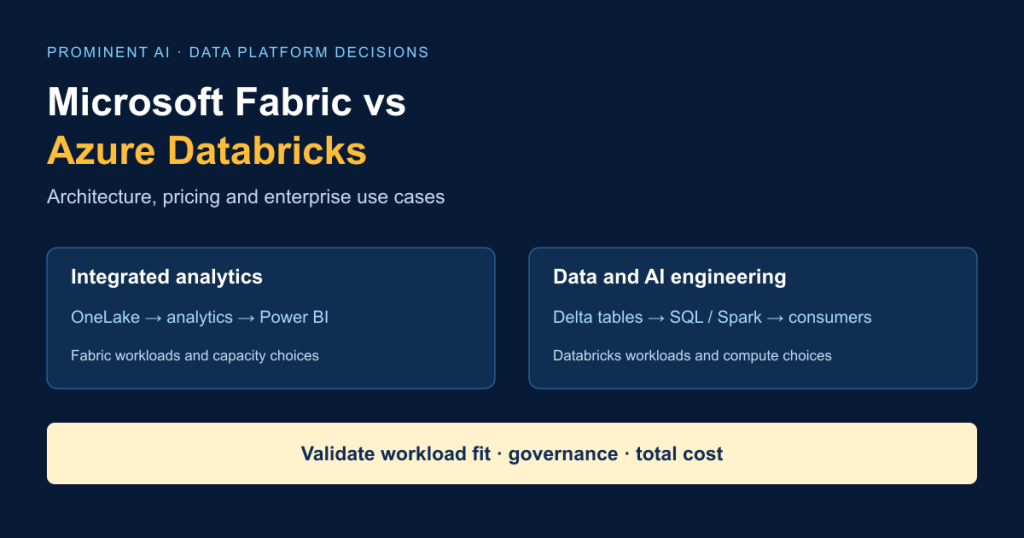
Microsoft Fabric is an integrated SaaS analytics platform that brings data integration, engineering, warehousing and Power BI into a shared experience. Azure Databricks provides a flexible data and AI engineering platform for lakehouse processing, SQL analytics and advanced machine learning. Fabric can fit organisations standardising Microsoft analytics; Databricks can fit teams requiring extensive engineering control and specialised workloads. Neither is universally better, faster or cheaper. The useful comparison is the complete production workload: ingestion, transformation, governance, reporting and operations. Some enterprises should combine Databricks engineering with Fabric analytics rather than replace a working platform.
Key takeaways
- Choose around workloads, operating skills and security boundaries—not feature counts.
- OneLake is a logical lake/storage experience, Delta Lake is a table technology, and Unity Catalog governs data and AI assets. They are different architectural layers.
- Compare complete cost: capacity or DBUs, eligible infrastructure, storage, networking, BI licensing and people.
- Fabric supports Spark and MLflow; Databricks supports SQL analytics and Power BI integration. “BI versus ML” is an incomplete distinction.
- Hybrid access can avoid replicating table data, but it does not automatically preserve downstream access policies.
- Azure Databricks Standard-tier retirement began on 1 October 2026; do not base a new comparison on historical Standard prices. Microsoft lifecycle notice.
Contents
- Platform definitions
- 30-point comparison
- Architecture
- Storage and governance layers
- Pricing and TCO
- Performance evaluation
- Engineering
- Power BI
- Machine learning
- Security
- Hybrid patterns
- Enterprise use cases
- Migration
- Skills
- Decision matrix
- Implementation roadmap
- Working with Prominent
- FAQs
What is Microsoft Fabric?
Microsoft Fabric combines analytical services in a SaaS environment. Data Factory handles ingestion and orchestration; lakehouses and Spark support engineering; Warehouse supports SQL-based analytics; Real-Time Intelligence handles event-oriented analysis; Power BI supplies semantic models and reporting. OneLake provides the common logical lake experience. Workspaces organise items and are assigned to capacity. Fabric overview.
This integration can reduce the number of separately assembled services for a Microsoft-centred analytics programme. It does not remove architecture decisions. Teams still define data ownership, environments, access, retention, quality checks and workload isolation. A shared experience is useful when analysts and engineers need a consistent route from source data to business measures.
Fabric’s capacity model introduces a practical limitation: unrelated workloads can compete for resources unless teams size, schedule or separate them deliberately. Evaluate source connectors, supported regions and deployment features against actual requirements. A simple reporting estate and a continuous streaming estate should not inherit the same capacity assumptions merely because both use Fabric.
What is Azure Databricks?
Azure Databricks is a data and AI platform on Azure. Its lakehouse approach combines cloud storage, Delta tables and processing engines. Spark supports distributed transformations; Databricks SQL serves analytical queries; Unity Catalog governs assets. Lakeflow Jobs and Lakeflow pipelines support orchestration and data processing. MLflow supports experiment and model lifecycle work. Platform overview, lakehouse architecture.
Serverless services manage compute provisioning for supported workloads. Applicable classic compute offers a different infrastructure and operational model. Neither choice eliminates responsibility for permissions, budgets, workload design or deployment testing. Serverless compute.
Databricks is a strong candidate when engineering complexity, multiple processing teams or specialised data and AI requirements justify its operating model. Its flexibility also creates decisions about runtimes, libraries, job boundaries, compute policies and ownership. Evaluate Azure Databricks specifically: the availability of Databricks on other clouds does not turn an Azure workspace into a cross-cloud deployment.
Microsoft Fabric vs Azure Databricks: at a glance
Use this matrix to shortlist proof-of-concept questions. These are architectural distinctions, not performance scores. Sources: Fabric, Databricks, lakehouse, Unity Catalog, and the workload-specific documentation cited below.
| Criterion | Microsoft Fabric | Azure Databricks |
|---|---|---|
| 1. Positioning | Integrated analytics SaaS | Data and AI engineering platform |
| 2. Deployment | Fabric tenant, workspaces and capacities | Azure workspaces; service-specific compute planes |
| 3. Flexibility | Integrated item and workload model | Configurable engineering and serving patterns |
| 4. Storage | OneLake and supported external references | Azure cloud storage; managed/external table arrangements |
| 5. Table formats | Delta tables central to lakehouse use; check engine compatibility | Delta Lake; additional interoperability depends on feature and table |
| 6. Lakehouse | Native lakehouse items | Core lakehouse architectural pattern |
| 7. Warehousing | Fabric Warehouse | Databricks SQL warehousing |
| 8. Spark | Managed Spark engineering | Databricks Runtime and supported Spark workloads |
| 9. SQL | Warehouse and SQL analytics endpoints | Databricks SQL and SQL warehouses |
| 10. Python/PySpark | Notebooks and Spark jobs | Notebooks, jobs and packaged engineering |
| 11. ETL/ELT | Data Factory, notebooks, SQL | Lakeflow pipelines, jobs, notebooks, SQL |
| 12. Orchestration | Fabric pipelines and scheduling | Lakeflow Jobs and external orchestration |
| 13. Batch | Supported; size shared or eligible separate compute | Supported; select job compute appropriately |
| 14. Streaming | Real-Time Intelligence and relevant Spark patterns | Streaming and Lakeflow pipeline patterns |
| 15. ML | Fabric Data Science and MLflow | MLflow and Databricks ML services |
| 16. Generative AI | AI experimentation and integrations | AI development and serving services; validate requirements |
| 17. Power BI | Integrated semantic modelling and Direct Lake options | Supported Power BI connections; hybrid possible |
| 18. Governance | OneLake catalog/security and Fabric controls | Unity Catalog for data and AI assets |
| 19. Permissions | Workspace/item and supported granular controls | Catalog/schema/object privileges and supported policies |
| 20. Lineage | Fabric lineage; check cross-system coverage | Unity Catalog lineage; external execution has boundaries |
| 21. CI/CD | Git, deployment pipelines, APIs; item support varies | Source-controlled jobs and deployment tooling |
| 22. Monitoring | Capacity/workload metrics and Azure billing | Jobs, query/compute telemetry and billing records |
| 23. Isolation | Capacity and workspace design; Spark billing options | Separate compute/service configurations and policies |
| 24. Elasticity | Capacity scaling and eligible workload options | Serverless or applicable classic autoscaling choices |
| 25. Pricing | Capacity plus separately billable components | DBUs plus applicable infrastructure and other components |
| 26. Operations | Integrated administration, shared-capacity planning | Compute, runtime and engineering ownership decisions |
| 27. Integration | Microsoft analytics and supported connectors | Azure services, APIs, BI and supported connectors |
| 28. Migration | Revalidate jobs, access and serving semantics | Revalidate jobs, dependencies, catalog and compute |
| 29. Dependencies | Fabric items, APIs, semantic models and capacity | Databricks APIs, services and runtime behaviour |
| 30. Team fit | Microsoft analytics teams with engineering support | Engineering-led teams with SQL, Python and platform skills |
Architecture comparison: Fabric vs Databricks
A. Microsoft Fabric architecture

Land source records through an approved ingestion route. Keep bronze data replayable, validate and conform it in silver, and publish business-ready gold tables. A lakehouse or warehouse serves the selected analytical pattern; a semantic model defines business measures for Power BI. Medallion layers are logical responsibilities, not a requirement for three physical copies of every dataset.
Assign ownership at each boundary: source contract, quality gate, published table and business metric. Separate development, testing and production. Record the capacity supporting each workspace and its peak reporting window. The diagram represents an implementation pattern, not every Fabric service. Fabric overview, CI/CD.
B. Azure Databricks architecture

Ingest batch files, events or supported change streams into a replayable landing layer. Transform and validate Delta tables, then publish curated data products for SQL, ML and BI consumers. Unity Catalog provides the governance layer; it is not the storage account. Choose compute separately for engineering and serving, then establish budgets and failure recovery. Databricks lakehouse, Lakeflow Jobs.
For either platform, define the measurable contract first: delivery time, freshness, permitted consumers, recovery point and accepted quality. A technically successful pipeline that misses the finance close or exposes another tenant’s records has failed its business purpose.
C. Hybrid architecture

Keep transformation ownership in Databricks where appropriate, and publish a deliberately limited consumption surface to Fabric. The connection may reference existing data rather than replicate it; it still introduces metadata refresh, identity, networking and policy decisions. Avoid two engines independently writing the same business dataset without an explicit ownership and compatibility contract.
Get Expert Guidance on Your Data Platform Architecture
OneLake vs Delta Lake vs Unity Catalog
These names describe different layers. OneLake is Fabric’s unified logical data lake experience. Delta Lake adds table-level transaction and schema behaviour to data stored in files. Unity Catalog governs access to data and AI assets in Databricks. Comparing OneLake directly with Unity Catalog confuses storage experience with governance. OneLake, Delta in the lakehouse, Unity Catalog.
Fabric has its own catalog, permission and lineage capabilities. An open table format can reduce some data-format dependencies; it does not make orchestration, policies, functions or deployment definitions portable. Before promising interoperability, check the table features used, the reading engine and the identity under which access occurs.
Microsoft Fabric vs Databricks pricing explained
Compare the monthly cost of an accepted workload, not the hourly rate of unlike units. A Capacity Unit and a DBU are not interchangeable measures of work. Regional rates, agreements and service choices matter. The public Fabric pricing page did not expose numeric rates in this research session, and the Azure Databricks pricing page could not be fetched reliably. Therefore, no numeric vendor quote is presented. Use the configurable model below with current official rates. Fabric pricing, Azure Databricks pricing.
Fabric charges
Fabric capacity SKUs provide an allocation measured in CUs. Model active pay-as-you-go capacity, or the amortised reservation commitment and any uncovered usage—not both for the same covered period. Pausing eligible capacity changes compute availability; it does not erase retained-storage charges or an existing reservation commitment. Microsoft documents one- and three-year capacity reservation options. Reservations.
Storage and applicable OneLake operations must be evaluated separately. Power BI creators and consumers also have licensing requirements; F64-or-larger eligible capacity changes some consumption scenarios but does not mean every user licence disappears. Billing meters, licences and capacity.
Spark normally uses workspace-associated capacity. With autoscale billing enabled, supported Spark jobs use separate serverless resources and are billed for execution rather than consuming base capacity. Do not count the same Spark work once as base-capacity consumption and again as separate compute. Record the enabled model, limits and actual invoice meters. Spark billing.
Capacity utilisation, smoothing, sustained overuse and configured overage behaviour affect service and cost. Monitor the Capacity Metrics app alongside Azure Cost Management; a dashboard’s CU consumption is not automatically an additional invoice charge on top of purchased capacity. Cost optimisation.
Databricks charges
A DBU is Databricks’ usage measurement unit; the applicable rate depends on the product and workload. For classic compute, account for the relevant Azure VM, disk and other infrastructure charges. For serverless offers where infrastructure is included in the service rate, do not add an imaginary second VM bill. Storage, transfer, private connectivity and optional services still need their own assessment. Databricks pricing overview, serverless.
Separate jobs, SQL serving and continuous pipelines in the estimate. Record startup, idle, retries and minimum billing behaviour where applicable. Evaluate eligible pre-purchase commitments against measured demand and contract terms, rather than applying a generic discount to every cost line. Use the supported workspace tier: Microsoft’s lifecycle notice describes phased Standard-to-Premium upgrades starting 1 October 2026. Tier lifecycle.
TCO formulas and configurable scenarios
Fabric monthly TCO = capacity commitment or PAYG + uncovered/eligible separate compute + storage and applicable operations + BI licensing + networking + support + integration/maintenance.
Databricks monthly TCO = workload DBU charges + infrastructure not included in those rates + storage + networking + applicable additional services/licensing + support + integration/maintenance.
For hybrid TCO, count shared storage and existing licences once. Separate incremental project cost from fully allocated organisational cost. Amortise migration and training over an explicitly chosen period. Keep taxes and currency conversion outside the underlying consumption comparison.
The following are synthetic planning inputs, not benchmark results, sizing recommendations or price quotes. Re-measure runtimes on each platform.
| Input | A: small analytics team | B: mid-sized enterprise | C: large engineering estate |
|---|---|---|---|
| Retained source volume | 0.5 TB | 10 TB | 100 TB |
| Billable storage assumption, including curated/history | 1 TB | 20 TB | 200 TB |
| Daily ingestion | 10 GB | 200 GB | 2 TB |
| Processing window | 2 h/day batch | 6 h/day batch | 12 h/day batch plus continuous streaming |
| Reporting service window | 10 h × 22 days/month | 12 h × 22 days/month | 24 h × 30 days/month |
| Peak concurrent consumers | 5 | 30 | 150 |
| Pipelines | Daily | Nightly plus hourly increments | 15-minute batches and continuous streams |
| Region / currency | East US / USD | East US / USD | East US / USD |
| Fabric configurations to test | F8 and F16 | F32 and F64 | Separate F64 BI and F128 engineering capacities |
| Databricks configurations to test | Small SQL service; small jobs configuration | Separate SQL and jobs services | Isolated SQL, batch, streaming and ML services |
| Classic fallback test input | Driver + 2 workers, 4 vCPU/16 GiB each | Driver + 4 workers, 8 vCPU/32 GiB each | Driver + 8 workers, 16 vCPU/64 GiB each |
| Capacity utilisation sensitivity | 25%, 50%, 75% | 25%, 50%, 75% | 25%, 50%, 75% per capacity |
| Rate verification date | Not entered | Not entered | Not entered |
All scenarios were authored on 29 October 2026. The accompanying calculator requires dated rate inputs and deliberately leaves cost totals blank until those are supplied. Record exact available VM SKUs or serverless service sizes during the POC. For UK, Canadian, Australian, German, Dutch and Irish deployments, rerun with the chosen permitted region, currency and residency requirements; do not convert an East US estimate and call it a local quote.
Evaluate Microsoft Fabric vs Databricks for Your Workloads
Performance comparison: which platform is faster?
There is no defensible universal winner. Engine version, query semantics, file layout, partitioning, caching, data skipping, compute size, concurrency and network locality can dominate results. Compare equal business outcomes under the same freshness and security constraints, rather than forcing unlike engines into nominally equal resource labels.
Use this reproducible test plan. Publish dataset checksums, schemas, generator seed, SQL, transformations, runtime versions, settings, region and billing assumptions. Run cold and warm trials separately; randomise platform order and retain failed runs. Allow a documented, comparable tuning budget for both teams. The proposed repetitions are test design choices, not measured results.
| Workload | Fixed test contract | Measurements |
|---|---|---|
| Batch ETL | Same inputs, cleansing, joins and output checksums | Elapsed time, bytes/hour, failures, cost/job |
| Interactive SQL | Same query semantics and result checks | p50/p95 latency, cost/query, timeout rate |
| Power BI | Same model, measures, pages and filter actions | Render time, freshness, refresh/serving cost |
| Streaming | Same event stream, disorder and replay test | End-to-end lag, events/second, recovery, cost/hour |
| Large joins | Same skew, key cardinality and correctness | Spill, duration, retries, cost/success |
| Concurrent analytics | Same arrival pattern and session mix | Queue time, SLA pass rate, cost/accepted workload |
Use at least five measured trials after documented warm-ups. Show ranges and p95, not just a best run. Capture compute, applicable infrastructure, ingestion and serving cost over the entire test window. Divide total attributable cost—including failures and retries—by successful workloads. A faster query that breaks the budget or access policy is not the winning production design.
Data engineering and ETL/ELT comparison
Fabric Data Factory is part of Fabric; Azure Data Factory is a separate Azure service. Similar names do not establish connector, gateway or activity parity. Inventory each existing pipeline before estimating a migration. Microsoft’s comparison.
For Fabric, evaluate pipelines, SQL transformations and Spark notebooks as a coordinated delivery path. For Databricks, evaluate Lakeflow Jobs and pipelines alongside notebooks and packaged code. Neither platform supplies a useful business data contract automatically. Lakeflow Jobs, pipeline concepts.
Test incremental loads with duplicate delivery, late records and deleted source rows. CDC is a source-and-connector capability, not a blanket property of the platform. Define watermarks, idempotent writes, quarantine handling and controlled schema evolution. A retry should not duplicate invoices, and a renamed column should not silently change a metric. Version transformations and quality rules together. Promote artefacts through isolated environments and test credentials and configuration independently of code.
Power BI, reporting and enterprise analytics
Fabric’s Direct Lake is a semantic-model storage mode that reads suitable Delta data through OneLake. Its refresh updates references rather than creating the same full cached data copy as Import. Capacity, model design and the selected Direct Lake variant still matter. DirectQuery sends queries to an underlying source; Import creates a model copy. Direct Lake.
Azure Databricks can remain the engineering and SQL serving platform while Power BI provides reports. Select a supported connection and authentication arrangement, then compare Import refresh and DirectQuery latency under realistic concurrency. Power BI with Azure Databricks.
For both designs, test business measures, incremental refresh where applicable, user permissions and peak reporting periods. Count Power BI and source-serving costs together. Choosing Fabric purely to obtain a dashboard—or choosing Databricks purely because tables are large—misses the semantic-model and consumption decisions that determine the user’s experience.
Machine learning and AI workloads
Fabric supports data science and MLflow-based experimentation; current documentation also describes AI experiment tracing. Databricks has integrated data and AI workflows with MLflow and related services. Avoid repeating the outdated claim that Fabric cannot support ML. Fabric MLflow, Databricks introduction.
Evaluate the lifecycle you need: feature preparation, reproducible experiments, approved model artefacts, deployment targets, rollback and monitoring. A successful notebook training run does not prove a production serving design. For generative AI, add permission-aware retrieval, evaluation data, tracing and model-service costs. Keep prompts and model inputs within approved data boundaries. Our MLOps comparison provides lifecycle context without replacing this platform assessment.
Governance, security and compliance
Both designs require identity, least privilege and evidence of enforcement. Fabric uses Microsoft Entra ID and workspace/item controls with OneLake security capabilities. Unity Catalog provides Databricks governance and fine-grained privileges. Encryption, private connectivity and audit options must be checked for the exact workload and region. Fabric security, Unity Catalog.
Fabric’s table, column and row controls have engine and role-specific behaviour; broad workspace privileges can exceed the scope of a restricted data role. Test administrators, contributors, consumers and service principals separately. A reporting policy does not automatically secure every file-access route. OneLake granular security.
Use this production acceptance checklist:
- Name the data owner, platform owner and incident responder.
- Prove allowed and denied access for each role, including service accounts.
- Validate row/column restrictions through every supported consumption route.
- Verify private-network paths, key ownership and credential rotation.
- Record source-to-consumer lineage and any cross-platform gaps.
- Test audit retrieval, deletion, retention and restoration.
- Check region availability, residency and contractual requirements for every service.
- Separate deployment approval from production data access.
For healthcare or financial workloads, these checks contribute evidence; they do not establish legal compliance or certification. Have the organisation’s security and compliance owners approve the architecture. See our AI security guidance for additional application risks.
Microsoft Fabric and Databricks together
As checked on 29 October 2026, Microsoft lists Fabric-initiated mirrored Azure Databricks catalogs as generally available and Databricks-initiated publishing to OneLake as public preview. Both expose read-only mirrored catalogs without replicating underlying table data. Preview status must be rechecked before rollout. Integration status.
| Hybrid pattern | What moves or executes | Main design obligation |
|---|---|---|
| Fabric-initiated catalog mirroring and shortcuts: GA | Catalog metadata is mirrored; shortcuts reference supported ADLS tables, rather than copying their contents | Validate connection identity and downstream Fabric permissions |
| Databricks-initiated catalog publishing: public preview | Catalog is published to Fabric; tables are read-only there and writes remain in Databricks | Accept preview risk; validate runtime, identity and table prerequisites |
| Power BI connector to Databricks | DirectQuery executes through the source; Import materialises a model copy | Test delegated/service identity, refresh and SQL serving cost |
| Explicit curated-data replication | A pipeline deliberately copies an approved dataset into the target | Own refresh lag, duplicate storage, reconciliation and deletion propagation |
For the Fabric-initiated route, Microsoft’s documentation says credentials are tied to the connection-configuring identity, not each querying Fabric user. Unity Catalog policies do not automatically apply to those downstream users. Documented limitations include masked/row-filtered tables, non-Delta formats, views and certain catalog types. Fabric execution is not automatically captured in Unity Catalog lineage. Access and limitations.
The preview publishing route documents read-only tables, runtime prerequisites and supported table-format conditions. Do not assume it eliminates every security limitation of another route; validate its actual enforcement path. Publishing requirements.
Metadata mirroring synchronises catalog information. A shortcut references data. Federation executes remote access through a supported engine/connector. Replication copies data. These terms are not synonyms. “No data movement” describes the mirroring setup, not an absence of network reads, compute charges, caches or semantic-model memory.
Which platform is best for different enterprise use cases?
These are assessment starting points, not customer case studies. “Both” means a justified division of responsibilities, not an instruction to buy two platforms.
| Business objective | Pattern to evaluate | Reason and trade-off | Security focus |
|---|---|---|---|
| Enterprise BI modernisation | Fabric first | Integrated reporting; validate capacity contention | Semantic and underlying-data permissions |
| Microsoft-centric analytics | Fabric | Existing analyst skills; test connector parity | Entra roles and privileged access |
| Large batch ETL | Databricks or Fabric Spark | Benchmark transformations and retries | Controlled landing and output access |
| Real-time streaming | Databricks or Fabric RTI | Select by latency/recovery contract | Event identities and replay retention |
| SaaS product analytics | Either; hybrid if justified | Tenant-aware data products; avoid duplicated metrics | Tenant isolation through every route |
| Financial risk and reporting | Databricks plus Fabric where useful | Engineering and BI separation adds operations | Segregation of duties and audit evidence |
| Healthcare operational analytics | Fabric or hybrid | Reporting plus complex-source processing | Minimum necessary access and residency |
| Manufacturing IoT | Fabric RTI or Databricks streaming | Match event and engineering requirements | Device-to-analytics trust boundaries |
| Supply-chain analytics | Either | Source integration and freshness dominate | Supplier and regional access |
| Customer 360 | Either or hybrid | Identity resolution and serving requirements | Consent, deletion and purpose limitation |
| Data science and ML | Databricks or Fabric Data Science | Test complete lifecycle and serving | Training-data and model access |
| Governed self-service BI | Fabric or Databricks SQL plus Power BI | Reuse trusted measures; budget concurrency | Consumer permissions and export |
| Complex enterprise migration | Phased coexistence | Reduce cutover risk; temporary dual cost | Identity/policy reconciliation |
| Multi-team engineering | Databricks or separated Fabric capacities | Isolation and ownership; platform overhead | Cross-team privileges and deployment roles |
Migrating from Azure Databricks to Microsoft Fabric
Start with a dependency inventory: jobs, notebooks, libraries, SQL, table features, identities, orchestration and consumers. Classify each item as retain, adapt, replace or retire. Spark compatibility is not proof that a notebook using platform-specific utilities will run unchanged.
Move a bounded workload first. Reconcile row counts, financial totals, schema, late-arriving records and business measures. Validate permissions using real roles, then test peak performance and invoice behaviour. Establish a cutover checkpoint, rollback trigger and system of record. Keep source jobs recoverable until the target satisfies agreed acceptance criteria.
Include metadata, schedules, secrets, alerts, semantic models and runbooks in the migration estimate—not just table bytes. Dual-running without reconciliation creates apparent confidence rather than evidence. Moving from Fabric to Databricks requires the same discipline around SQL semantics, orchestration and reporting dependencies.
Migration may not be justified when the current platform meets service and cost targets, critical dependencies cannot be reproduced economically, or the business benefit is smaller than transition risk. A hybrid extension can be the better choice. For Synapse estates, assess existing dedicated/serverless SQL and pipelines explicitly; neither destination is a drop-in rename.
Implementation complexity, skills and operations
Assess people as carefully as products. SQL and Power BI expertise may accelerate a Fabric analytics programme; Python, PySpark and distributed-systems experience may accelerate a Databricks engineering programme. Both need platform administration, security design, monitoring, FinOps and deployment skills.
Name an accountable owner for each production data product. Define who handles a failed overnight pipeline, an expensive query, a stale dashboard and an access incident. Budget training and support handover. The easier platform is the one your team can operate reliably for the required workload—not necessarily the one with the shortest demonstration.
Decision matrix: which platform should you choose?
Use evidence, not arbitrary platform scores. Record a requirement, supporting test and accountable decision-maker for each row.
| Decision input | What to establish before selection |
|---|---|
| Microsoft investment | Existing Power BI licences, skills and integration commitments |
| Data estate | Sources, volumes, table features and current ownership |
| Analytics | Required measures, freshness and consumer experience |
| Engineering complexity | Dependencies, transformations and recovery needs |
| ML | Training, tracking, serving and lifecycle requirements |
| Streaming | Event latency, replay and failure tolerances |
| Power BI adoption | Import, DirectQuery or Direct Lake serving contract |
| Governance | Proven policy enforcement across all access routes |
| Cloud/deployment | Approved regions, network paths and service availability |
| Skills | Delivery and long-term support capability |
| Variability | Peaks, idle periods and isolation needs |
| Budget/TCO | Dated rates, measured usage and fully accounted operations |
| Growth | Sensitivity to storage, concurrency and source expansion |
| Risk tolerance | Preview acceptance, migration reversibility and vendor dependencies |

Choose Fabric when integrated Microsoft analytics meets the required engineering, governance and service contract. Choose Azure Databricks when the tested engineering and AI operating model fits better. Use hybrid when distinct engineering and consumption requirements justify the additional boundary. If none passes security and recovery tests, revise the design before choosing.
Validate the shortlist with the benchmark protocol and cost model above. A POC acceptance record should contain result correctness, freshness, denied-access tests, failure recovery, deployment repeatability and cost at expected concurrency. Resolve failed criteria before signing a migration plan.
Evaluate Microsoft Fabric vs Databricks for Your Workloads
Enterprise data platform implementation roadmap
| Stage | Key activities | Deliverable | Acceptance criterion |
|---|---|---|---|
| 1. Discovery | Inventory workloads, owners, SLAs and constraints | Agreed workload register | Business and data owners confirm scope |
| 2. Assessment | Profile sources, dependencies and architecture | Current-state map and risk register | Critical dependencies accounted for |
| 3. Selection and cost | Shortlist patterns; model regional usage | Decision record and TCO assumptions | No unexplained or double-counted cost |
| 4. Security/governance | Design roles, connectivity and retention | Access matrix and test plan | Security owner approves controls |
| 5. POC/benchmark | Run correctness, performance and recovery tests | Reproducible evidence pack | Agreed workload criteria pass |
| 6. Production | Implement, reconcile, deploy and plan rollback | Tested release and operating runbooks | Owners accept cutover and recovery |
| 7. Operations | Monitor quality, capacity, spend and changes | Dashboards and review cadence | Alerts and ownership exercised |
Set dates after discovery. A fixed universal implementation timeline would conceal dependency, access and validation work.
How Prominent AI Services LLP can help
Prominent’s published offerings include Microsoft Fabric implementation, Databricks lakehouse engineering, data engineering and Power BI development. An engagement can start with an architecture assessment or bounded POC, then define implementation, specialist-team or support responsibilities around the agreed scope.
Bring your source inventory, existing platform costs, reporting requirements and security constraints. The useful first deliverable is a defensible workload decision—not a predetermined product recommendation.
Discuss Your Data Platform Architecture
Frequently asked questions
What is the difference between Microsoft Fabric and Azure Databricks?
Is Microsoft Fabric better than Databricks?
Is Microsoft Fabric cheaper than Azure Databricks?
Which platform is better for data engineering?
Is Microsoft Fabric suitable for enterprise-scale data?
Does Microsoft Fabric use Apache Spark?
What is OneLake?
What is the difference between OneLake and Delta Lake?
Can Microsoft Fabric replace Azure Databricks?
Can Microsoft Fabric and Databricks work together?
Which platform is better for Power BI?
Which platform is better for machine learning?
How is Microsoft Fabric priced?
How is Azure Databricks priced?
What are DBUs and Capacity Units?
Is it difficult to migrate from Databricks to Fabric?
Which platform offers better governance?
When should an enterprise use both platforms?
Further reading and next step
For related context, read cloud infrastructure for scalable AI and production MLOps. These cover deployment and lifecycle concerns; this comparison addresses enterprise data-platform selection.
Discuss Your Data Platform Modernization Project
Technical sources were checked on 29 October 2026. Recheck prices, regional availability, licensing and preview status before procurement or publication. No customer outcomes or performance results are claimed.