
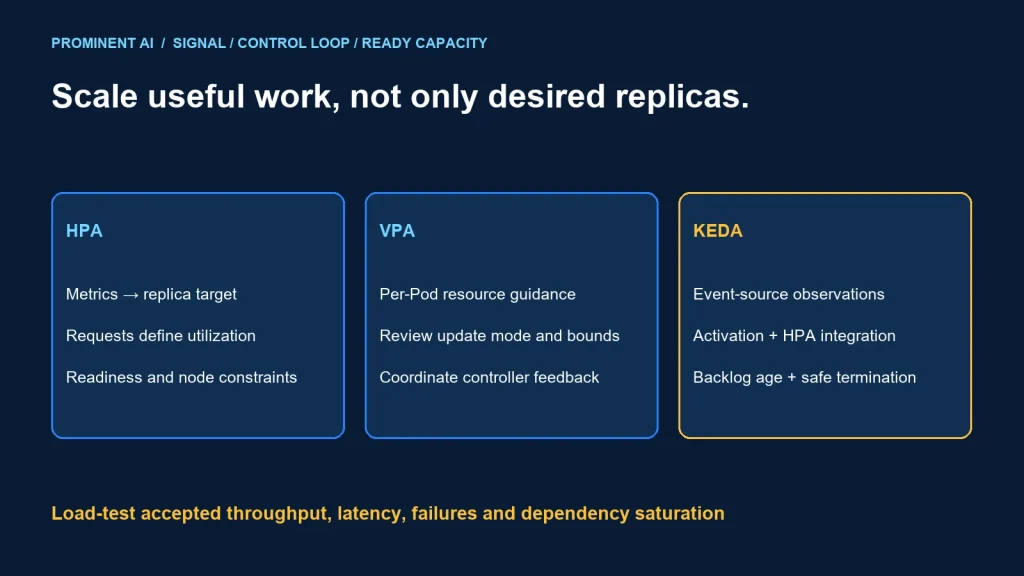
Use HPA to adjust replica count from supported metrics, VPA to recommend or adjust per-Pod resources, and KEDA to connect event-source signals to workload scaling. KEDA commonly works with HPA rather than replacing it. Select a signal that reflects the work waiting to be done, then verify that replicas can become ready and that dependencies can accept the extra load.
Key takeaways
- Replica count, per-Pod resources and node capacity are different control loops.
- CPU utilization targets depend on declared resource requests.
- Queue backlog is useful only with processing rate, message age and dependency limits.
- Test scale-up delay, scale-down safety and unavailable metrics.
Kubernetes HPA vs VPA vs KEDA
Kubernetes HPA guidance describes metric-driven horizontal scaling. For resource utilization targets, requests provide the denominator. A CPU percentage without the corresponding resource request is not enough to reason about the workload.
VPA documentation describes resource recommendations and update modes. Recommendation-only mode can be a useful first step. Automatic application behavior depends on the installed version and mode; do not assume every resize is disruption-free.
KEDA 2.18 deployment-scaling documentation explains that KEDA observes event sources and supplies metrics to HPA, with activation behavior for scale-from-zero. Match the chosen scaler and authentication method to the installed KEDA version.
| Mechanism | Changes | Useful question | Risk to test |
|---|---|---|---|
| HPA | Workload replica count | Can more ready replicas serve the demand? | Missing metrics, oscillation and downstream overload |
| VPA | Per-Pod resource recommendations/allocation | Are requests appropriate for observed workload? | Disruption and interaction with other controllers |
| KEDA | Event-driven activation and HPA integration | Does external backlog better represent demand? | Signal access, cold starts and unsafe scale-down |
| Node scaling | Cluster scheduling capacity | Can requested Pods actually be placed? | Provisioning delay, quotas and topology limits |
Do not let multiple independent controllers fight over the same replica field. If KEDA owns a generated HPA, manage that relationship deliberately. Likewise, review the feedback loop when VPA changes CPU requests while HPA uses CPU utilization as its signal.
An autoscaling control-loop architecture
Business demand → application or queue
                         ↓ observed signal
Metrics source / KEDA scaler → HPA → desired replicas
                                      ↓
                             scheduler + node capacity
                                      ↓
                             started and ready Pods
                                      ↓
                         accepted throughput + latency

VPA recommendations → reviewed per-Pod resource settings
Dependency capacity + ordering rules constrain safe concurrencyCapture delay at every stage: metric observation, control-loop response, scheduling, image pull, initialization and readiness. An aggressive replica target cannot eliminate a slow startup path or a fixed database bottleneck.
Choose a minimum replica count from the latency and availability contract. Scale-to-zero can suit some asynchronous workers, but the first event waits for activation and startup. A user-facing API may need warm capacity even during quiet periods.
A bounded HPA configuration example
The following is an illustrative lab manifest, not a production sizing recommendation. It assumes an existing Deployment named worker, functioning resource metrics and meaningful CPU requests on its relevant containers. It was not applied to a live cluster during authoring.
apiVersion: autoscaling/v2
kind: HorizontalPodAutoscaler
metadata:
  name: worker-hpa
spec:
  scaleTargetRef:
    apiVersion: apps/v1
    kind: Deployment
    name: worker
  minReplicas: 2
  maxReplicas: 10
  metrics:
    - type: Resource
      resource:
        name: cpu
        target:
          type: Utilization
          averageUtilization: 60
  behavior:
    scaleDown:
      stabilizationWindowSeconds: 300
Validate the manifest against the intended cluster version and policies before use. The numbers are placeholders for testing. A five-minute scale-down window, two minimum replicas and a 60 percent target are not universally appropriate.
For a queue-driven worker, evaluate a KEDA ScaledObject using the selected queue’s documented scaler. Configure the event identity, authentication, target threshold, replica bounds and activation/cooldown behavior explicitly. Do not publish a credential-bearing sample or assume one scaler’s fields work for another.
Begin VPA evaluation with recommendations where suitable, then review resource bounds and disruption behavior before enabling automatic updates. Coordinate application rollout, autoscaling and availability policies in the same test plan.
A load-test plan and plot specification
No cluster benchmark or load-test plot is claimed here. Collect real observations before producing a performance graph. Use a representative application and approved nonproduction environment with controlled dependency capacity.
- Record a baseline at steady low load with correct outputs.
- Increase arrival rate gradually, then introduce a bounded burst.
- Hold demand long enough to observe scheduling and readiness delays.
- Reduce demand and verify safe scale-down.
- Repeat with slow dependencies and missing scaler metrics.
- Test worker interruption and reconcile repeated or unfinished work.
| Plot series | What it reveals | Interpretation check |
|---|---|---|
| Arrival rate and accepted completion rate | Demand vs useful capacity | Exclude failed or duplicated completions |
| Desired, scheduled and ready replicas | Control response vs actual readiness | Separate pending Pods from usable capacity |
| Backlog and oldest-message age | Accumulated delay | A small queue can still contain old work |
| Latency percentiles and errors | User or business outcome | Average latency can hide a long tail |
| CPU, memory and dependency saturation | Resource and external constraints | More replicas may increase contention |
Use a common time axis and retain the load-generator revision, payload distribution, cluster configuration and background workload. Annotate deployment events and failed metrics. Avoid labeling a simulated curve as a measured production result.
Troubleshooting common scaling problems
| Observation | Investigate |
|---|---|
| HPA cannot calculate a target | Metric availability, requests and target reference |
| Desired replicas rise but ready replicas do not | Scheduling, node capacity, quotas, images and readiness |
| Backlog grows while CPU stays low | I/O waits, external throttling, ordering and the chosen signal |
| Replicas repeatedly rise and fall | Signal noise, startup behavior and stabilization settings |
| More workers reduce throughput | Database locks, connection limits and partner capacity |
| Scale-down repeats work | Termination handling, message settlement and idempotency |
For ordered messaging, inspect the distribution of session or partition keys. A single hot key can limit effective concurrency. Scaling beyond that limit may add cost without completing more business work.
For resource-driven scaling, inspect sidecars and application containers separately. Aggregate Pod behavior can obscure which container is constrained. Change the measurement design only after understanding what is being measured.
Production release checklist
- One clear owner for each scaling control loop.
- Validated requests, limits, bounds and metric access.
- Representative scale-up and scale-down evidence.
- Safe termination and duplicate-processing behavior.
- Enough node and downstream capacity for permitted replicas.
- Alerts for stale metrics, pending Pods and unmet business latency.
- Versioned configuration and a tested rollback procedure.
For messaging workers, use the Service Bus recovery guide. Compare cost per accepted completed unit using the cloud cost review framework, rather than judging efficiency from replica count alone.
Common questions
When should you use KEDA instead of HPA?
Use KEDA when a supported event-source signal and activation behavior fit the workload. KEDA commonly integrates with HPA, so the design is not simply one replacing the other.
Does VPA add more Pods?
Its role is per-Pod resource recommendations or adjustments. Replica scaling is a separate responsibility.
Why can HPA request more replicas without improving latency?
Pods may be pending, slow to initialize or blocked by downstream capacity. Measure ready capacity and accepted outcomes.
Should all workers scale to zero?
No. Evaluate activation delay, startup cost, availability and the business freshness requirement.
Can the sample manifest be copied directly into production?
No. It is an unexecuted lab example with illustrative values. Validate version compatibility, metrics and workload behavior first.
Scale the work that matters
Bring workload signals, startup timings and downstream constraints to a review. Discuss a cloud architecture and cost review to define safe autoscaling controls and a meaningful load-test plan.