
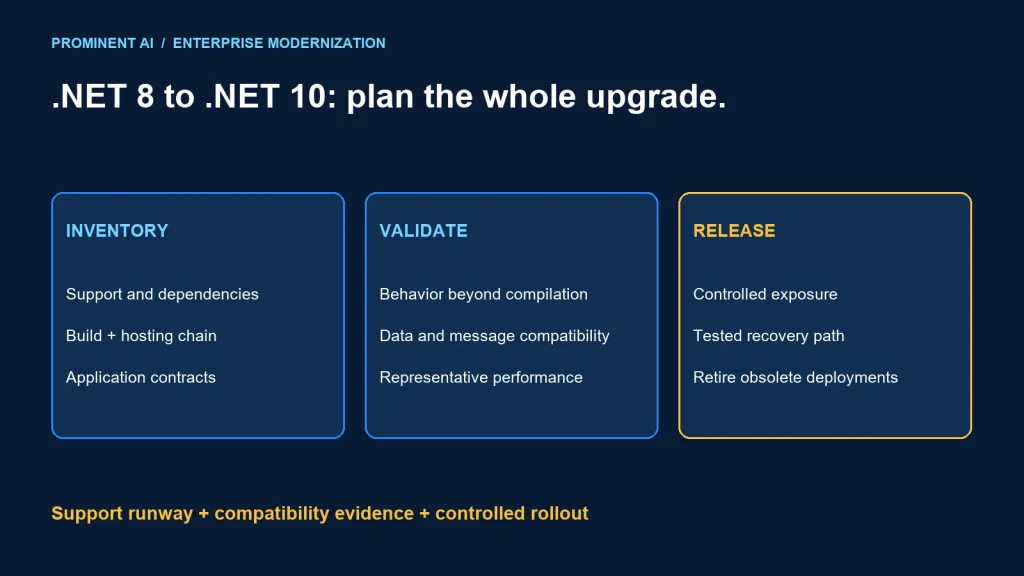
Enterprises running .NET 8 should plan and validate a supported upgrade path rather than treat its LTS label as indefinite support. As checked on 3 November 2026, Microsoft’s support policy lists .NET 8 support ending on 10 November 2026 and .NET 10 support ending on 14 November 2028. Choose the target with dependency, hosting and operational evidence; changing the target framework alone is not a complete migration.
Key takeaways
- Support runway is an immediate planning input for .NET 8 estates.
- Review changes across intervening releases as well as .NET 10.
- Build success does not prove authentication, serialization, database or deployment compatibility.
- Keep runtime migration separate from optional architecture rewrites where practical.
.NET 10 vs .NET 8: support and upgrade timing
Microsoft’s official .NET support policy identifies both releases as LTS and requires current patches during their supported lifecycle. Dates below were checked on 3 November 2026; verify the live policy again when approving your rollout.
| Planning item | .NET 8 | .NET 10 |
|---|---|---|
| Release type | LTS | LTS |
| Published end of support | 10 November 2026 | 14 November 2028 |
| Enterprise implication | Near-term support deadline at this article’s review date | Longer support runway for a validated target |
| Required evidence | Current estate and any approved transition risk | Dependencies, OS, hosting and workload compatibility |
The application runtime, SDK, ASP.NET Core, Entity Framework Core, operating system and third-party libraries do not form one automatically synchronized support contract. Record their versions and support policies independently.
If an upgrade cannot be completed before the deadline, document the exposure, owner and remediation date through the organization’s risk process. A business exception does not extend vendor support. Avoid a rushed production change that bypasses the essential tests for a critical application.
A decision matrix for the enterprise roadmap
| Situation | Practical direction | Evidence before release |
|---|---|---|
| Modern .NET 8 application with supported dependencies | Prioritize a bounded .NET 10 migration | Compatibility suite and representative hosting tests |
| Critical unsupported third-party dependency | Assess update, replacement or isolation | Vendor position and a tested integration path |
| Windows-specific or native dependencies | Validate the actual OS and process model | Native loading, permissions and operational tests |
| Older .NET Framework application | Use a separate modernization assessment | Framework-specific dependency and architecture analysis |
| Planned microservices rewrite | Separate support remediation from optional decomposition | Clear change boundaries and independent value case |
A runtime upgrade can be worthwhile without introducing every new language or platform feature. Establish a supported baseline first, then adopt additional capabilities through measured changes. Conversely, retaining an obsolete dependency solely to avoid migration work can prolong the problem.
Build an inventory before editing project files
List executable applications, libraries, workers, test projects, deployment scripts and shared packages. Include services that are deployed rarely: a forgotten scheduled task can remain on an old runtime long after the main API moves.
- Build: SDK selection, global configuration, target frameworks, analyzers and CI agents.
- Dependencies: direct and transitive packages, database providers, serializers and authentication libraries.
- Runtime: operating system, architecture, native components and globalization requirements.
- Hosting: container base images, installed hosting components, managed service support and deployment slots or revisions.
- Operations: telemetry agents, health checks, jobs, secrets and recovery artifacts.
Choose explicit package and runtime versions through the team’s dependency process. Do not infer that a package is compatible merely because its name includes .NET. Check the publisher’s supported targets and test the actual use case.
Microsoft’s .NET 10 breaking-change index distinguishes source, binary and behavioral changes and links to areas including ASP.NET Core and EF Core. It also states that the list is not complete. Treat it as a review aid alongside tests and dependency documentation.
When moving directly from .NET 8 to .NET 10, review applicable .NET 9 changes too. Skipping a production deployment of an intermediate runtime does not mean its behavioral changes are irrelevant to the final target.
Compatibility testing beyond compilation
| Area | Representative check | Release evidence |
|---|---|---|
| Authentication and authorization | Valid, invalid and denied-access journeys | Expected identity and permission behavior |
| API contracts | Serialization, status codes and client compatibility | Consumer contract results |
| Data access | Queries, transactions and provider behavior | Correct results and migration review |
| Background work | Startup, cancellation, retries and shutdown | No unexplained lost or repeated work |
| Native and OS integration | Library loading, filesystem and certificates | Supported execution environment |
| Operations | Health, telemetry, deployment and recovery | Runbook and rehearsal results |
Use production-like configuration with authorized synthetic or appropriately protected test data. Preserve external API and message contracts so old consumers can coexist during rollout. Include negative cases and timeouts rather than checking only successful requests.
Measure performance with the same workload and environment assumptions. Compare latency distributions, throughput, allocation and resource use relevant to the application. No benchmark uplift is claimed here: a runtime release does not guarantee an improvement in every enterprise workload.
If the migration also updates a database provider or ORM, test generated queries and transaction behavior independently. A runtime deployment rollback may not reverse a database schema change. Keep data compatibility explicit.
Worked architecture example: API, worker and shared database
Consider a fictional order platform with an ASP.NET Core API, a background worker, a shared relational database and an external payment integration. Both application processes currently target .NET 8. This is a planning example, not a completed client project or performance result.
The team inventories shared packages and establishes contract tests for order creation, authorization and payment status. It creates a .NET 10 branch and updates dependencies in controlled groups, separating compiler fixes from changed runtime behavior.
Existing API + worker → capture contracts and baseline
Candidate API → test against compatible database and old worker
Candidate worker → test messages, retries and external effects
Controlled production cohort → observe → expand or recover
Retire previous deployment after the agreed recovery window
The database contract remains compatible during the application transition. The worker can read messages from either API version. External actions use the application’s established duplicate-prevention mechanism and reconciliation procedure. These controls matter more than deploying both processes at exactly the same second.
A candidate API passes unit tests but fails a real client serialization contract. The team holds promotion and resolves the difference before production. A separate worker shutdown test checks whether in-progress work resumes correctly. Neither defect would be excluded by a successful build alone.
Only after the supported baseline is stable does the team evaluate unrelated architecture changes. This keeps the upgrade’s failure analysis and recovery scope understandable.
A practical upgrade and rollout sequence
- Confirm support deadlines, owners and application criticality.
- Inventory the complete build, runtime, dependency and hosting chain.
- Review applicable compatibility changes and vendor constraints.
- Upgrade in a branch with reproducible build artifacts.
- Run functional, contract, security and operational tests.
- Compare performance under a controlled representative workload.
- Rehearse recovery with compatible data and previous artifacts.
- Deploy through bounded exposure and monitor release-level signals.
- Remove obsolete runtime deployments and update operating documentation.
Keep an accountable owner for each blocker. A test plan without dependency owners or release authority is difficult to execute under a support deadline. Record residual risks and the evidence used for the final decision.
Coordinate the rollout with the blue-green and canary deployment guide and the enterprise CI/CD comparison. This article addresses a modern .NET runtime upgrade, not a full .NET Framework rewrite.
Common questions
Should an enterprise upgrade from .NET 8 to .NET 10?
Plan a supported target and validate it promptly. As checked on 3 November 2026, .NET 8 support ends on 10 November 2026. Dependency and hosting compatibility still determine release readiness.
Are .NET 8 and .NET 10 both LTS releases?
Yes, but their support deadlines differ. LTS does not mean indefinite support, and supported releases require current servicing updates.
Is changing the target framework enough?
No. Review dependencies, build tooling, runtime behavior, hosting and operational controls, then run representative compatibility tests.
Do we need to deploy .NET 9 first?
A separate production rollout of .NET 9 is not inherently required for a .NET 10 migration. Review applicable intervening changes and confirm the supported path for your workload and dependencies.
Will .NET 10 automatically make the application faster?
No workload-specific gain should be assumed. Measure the application with comparable inputs and hosting conditions before making performance claims.
Build a supported .NET modernization roadmap
Bring your runtime inventory, dependency constraints and release calendar. Discuss your .NET modernization roadmap to define compatibility tests, migration boundaries and a controlled rollout.