
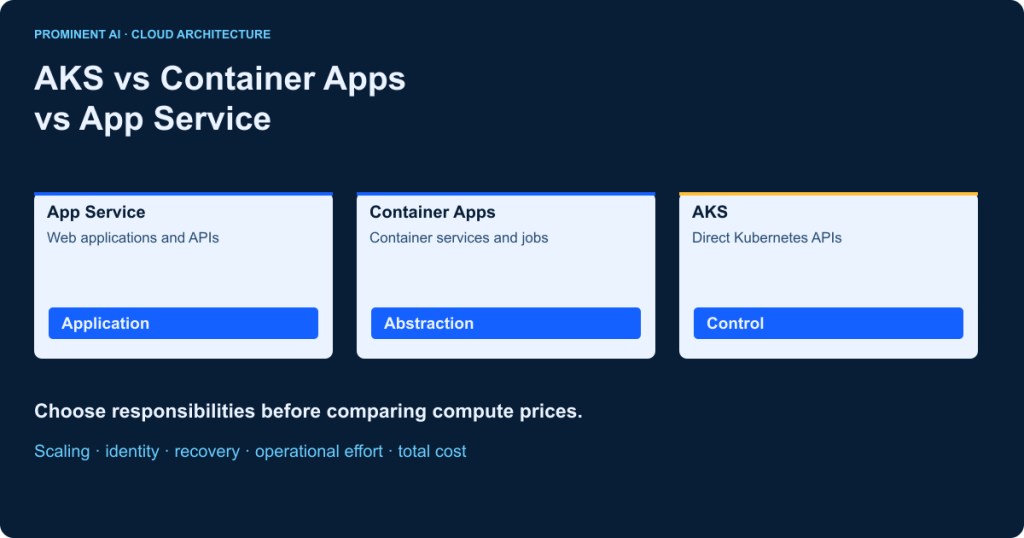
For AKS vs Container Apps, start with the control your workload actually needs. Evaluate App Service for conventional web applications and HTTP APIs, Container Apps for containerized services or event-driven jobs without cluster administration, and AKS when direct Kubernetes APIs or platform extensibility are requirements. AKS Automatic reduces common cluster tasks but retains Kubernetes. No option is universally best: security, availability, team ownership and total cost decide the final fit.
| Best-fit starting point | Evaluate first | Condition that changes the answer |
|---|---|---|
| Conventional website or HTTP API | Azure App Service | A non-HTTP runtime or specialized platform requirement |
| Container services, queue workers or finite jobs | Azure Container Apps | Unsupported network, hardware or Kubernetes requirement |
| Kubernetes platform with API/extensibility needs | AKS Standard or Automatic | No team or business case for Kubernetes ownership |
Key takeaways
- Choose responsibility boundaries before comparing instance prices.
- Container Apps abstracts Kubernetes; it does not expose its complete API.
- App Service deploys application code or custom containers.
- Scale-to-zero is conditional and does not eliminate every resource charge.
- Measure application availability and operating effort, not only platform features.
Understanding the three Azure hosting services
Azure Kubernetes Service: Kubernetes with managed components
AKS exposes Kubernetes APIs for deploying and governing workloads. Microsoft operates the managed control-plane service, while your operating model must still cover applications, capacity, identities, networking, policies and upgrades. Kubernetes is useful when its APIs, ecosystem and platform controls solve a concrete requirement; merely using containers does not create that requirement. Microsoft’s container-service selection guide frames this as a trade-off between control and operational simplicity.
Distinguish AKS Standard and AKS Automatic experience models from the separate cluster-management pricing tiers. Standard gives your team more configuration responsibility. Automatic preconfigures common security, node provisioning, scaling and upgrade behavior. It still exposes Kubernetes and does not remove responsibility for workload correctness, access or business continuity. Confirm whether your required customization fits its supported defaults. See AKS Automatic.
Azure Container Apps: application abstractions over orchestration
Container Apps runs containerized applications without exposing the underlying Kubernetes control plane. It supplies ingress, revisions, service discovery, event-driven scaling and finite-duration jobs. Optional Dapr integration can support application building blocks; using Dapr is a design choice, not a prerequisite for every app. KEDA-based scaling can react to supported traffic or event metrics. See the Container Apps overview.
Consumption profiles use consumption-oriented compute billing; Dedicated profiles reserve a pool that can host several applications. Current documentation also lists a Flexible profile in preview, with different networking, resource and billing behavior and no scale-to-zero. Do not describe the product as having only two possible profile types, or assume a preview meets your support policy. Profile availability and specialized hardware vary. See workload profiles.
Azure App Service: managed web and API hosting
App Service hosts supported application stacks as code deployments or custom containers. It is not a containers-only platform, and choosing it does not prevent a well-structured modular application. An App Service plan defines regional compute capacity, OS, tier and instances. Multiple applications can share that capacity, which changes both density economics and resource contention. See the service overview and hosting-plan model.
Autoscaling, staging slots, private connectivity and isolation depend on the selected offering and configuration. Treat a plan as a resource boundary, not an unlimited collection of independent apps. Review an existing plan’s spare capacity before creating more infrastructure, but account for noisy neighbors and deployment-slot resource use.
AKS vs Container Apps vs App Service: feature comparison
| Architecture dimension | Azure Kubernetes Service | Azure Container Apps | Azure App Service |
|---|---|---|---|
| Hosting model | Managed Kubernetes platform | Managed application environment | Managed web application platform |
| Deployment artifact | Container workloads and Kubernetes resources | Container app or job definitions | Supported code package or custom container |
| Kubernetes API | Direct access | Not exposed | Not exposed |
| Infrastructure work | Standard configurable; Automatic manages common tasks | Environment/profile and application configuration | Plan, application and deployment configuration |
| Operational ownership | Workloads plus platform governance | Workloads, revisions, dependencies and environment choices | Application, capacity, configuration and dependencies |
| Autoscaling | Pods and nodes are separate scaling layers | Replica rules; profile capacity where applicable | Plan/app scaling capabilities depend on offering |
| Scale to zero | Possible for eligible workloads; cluster costs remain | Eligible profile, metric and min-replica configuration | Do not assume request-driven zero for ordinary provisioned plans |
| Traffic routing | Ingress/gateway and service configuration | Managed ingress and revision traffic splitting | Web endpoints and tier-supported slots/routing |
| Microservices | Broad Kubernetes architecture control | Independent container apps without cluster API | Multiple web/API apps; no general cluster API |
| Event processing | Consumers with configured scaling controllers | Supported KEDA scale rules and event jobs | Evaluate WebJobs/adjacent services for the requirement |
| Finite jobs | Kubernetes Job/CronJob resources | Manual, scheduled and event-driven jobs | Check background-job/runtime support rather than assume parity |
| Networking | Cluster/CNI, routing and policy choices | Environment type and ingress/egress capabilities | Inbound private endpoints and outbound integration are distinct |
| Private connectivity | Cluster/workload network design | Supported environment and private route configuration | Offering-specific endpoint/integration support |
| Identity | Entra/RBAC and workload identity patterns | System/user-assigned managed identity | Managed identity and application authentication options |
| Observability | Cluster, pod, application and dependency telemetry | App/revision/environment logs and metrics | App, plan and dependency diagnostics |
| CI/CD | Image plus manifests/Helm/GitOps as selected | Image plus declarative app/revision configuration | Code/container deployment and supported slots |
| Resilience | Design replicas, disruption and failure domains | Configure healthy replicas and supported zone options | Choose supported tier/region and recovery design |
| Isolation | Cluster, node, namespace and policy decisions | Environment/profile and application boundaries | Plan sharing or isolated environment as required |
| Cost | Cluster tier, nodes and supporting services | Consumption/profile capacity plus supporting meters | Plan capacity plus supporting services |
| Skills and migration | Kubernetes/platform expertise and resource conversion | Container lifecycle and environment model | Web/runtime expertise; often least packaging change |
This matrix describes starting points, not a compatibility guarantee. Verify the actual SKU, region, OS and deployment mode. Microsoft’s service comparison explicitly distinguishes application abstractions from direct Kubernetes access. Mandatory controls can eliminate an option before cost becomes relevant.
Architecture comparison: how each service works
A. App Service web application

The application receives authenticated HTTP traffic and uses a governed data service. Front Door or Application Gateway is optional when global routing, WAF or a particular ingress design requires it; neither is mandatory for every App Service deployment. Use managed identity where supported and keep database credentials out of the package. A code deployment does not require a container registry; a custom-container path does.
B. Container Apps services and jobs

Ingress reaches application replicas, while an event source can independently drive workers or jobs. Messaging is asynchronous and requires delivery, duplicate and retry design. An environment provides shared capabilities and a security boundary; it does not remove the need for authorization inside each service. The registry is a deployment dependency, not a synchronous hop in every business request.
C. AKS enterprise platform

An ingress or gateway routes to Kubernetes services and pods. Nodes supply schedulable capacity; business data generally lives in explicitly managed stores or carefully designed persistent workloads. The Kubernetes API is a control path used by release and platform tooling, not a public business API. Cluster and workload telemetry must be correlated with downstream dependencies.
Scaling, performance and availability
Separate application replicas from underlying capacity
Horizontal scaling adds replicas; vertical scaling changes resources per instance. In AKS, adding pods cannot create node capacity by itself. HPA, VPA, node autoscaling/autoprovisioning and event scalers solve different problems. Automatic configures more of this operating model, but resource requests, dependency limits and workload disruption remain application concerns. See AKS scaling methods.
In Container Apps, scale rules and limits determine replicas per revision. HTTP and supported external-event rules can support zero replicas where configured. CPU/memory metrics alone cannot awaken a zero-replica application, and Flexible profiles do not support scale-to-zero. Set a positive minimum when the latency contract justifies warm capacity, then include that cost. See replica scaling rules.
App Service scale-out adds plan capacity according to the chosen features; scale-up changes the tier or instance size. Apps and slots sharing a plan compete for resources. Test the real application mix rather than assuming the sum of individual average CPU measurements establishes safe density.
Measure the whole service, not just a platform SLA
Agree latency, successful transactions and recovery objectives before choosing minimum capacity. Run cold, warm, steady, burst and failure trials with the same dataset and dependency behavior. Record p50/p95/p99 response time, errors, backlog age, startup time and cost per accepted outcome. No performance benchmark was run for this article; the test design is a recommendation.
Availability zones, redundancy and recovery options vary by service, tier and region. Configure health probes and sufficient healthy replicas, test dependency outages, and restore business data. A control-plane SLA or readiness commitment is not an end-to-end application uptime promise. Review the applicable App Service reliability and Container Apps reliability guidance before setting contractual commitments.
Security, networking and governance
Start with separate threat boundaries for public ingress, outbound dependencies, deployment identities, runtime identities and operators. Use Entra and narrowly scoped managed/workload identity where supported, with Key Vault for unavoidable secrets. Application authorization remains necessary even when transport and infrastructure identities are correct. See Container Apps managed identity and AKS security concepts.
Do not equate an AKS namespace with a complete tenant isolation boundary. Combine policies, resource controls and suitable cluster/node separation where risk requires it. Likewise, one Container Apps environment is not an arbitrary replacement for every Kubernetes security topology. Define which applications can share compute, networking, operational roles and failure domains before consolidating them.
Review ingress and egress separately. App Service VNet integration is not the same feature as an inbound private endpoint. Container Apps networking depends on environment type; older Consumption-only environments differ from workload-profile environments. AKS offers broader network configuration but brings address planning, routing and policy responsibilities. Sources: App Service networking, Container Apps networking and AKS networking.
Sign and scan images according to your supply-chain policy, control registry access, pin deployable versions and patch dependencies. The service manages parts of platform maintenance; the team still owns supported runtimes, image rebuilds and application vulnerabilities. Validate audit retention, data location and denied-access tests. No Azure hosting selection by itself establishes regulatory compliance.
AKS vs Container Apps vs App Service pricing and TCO
Planning reference: 1 November 2026, East US, USD, pay-as-you-go; change these inputs for the actual deployment. Public pages were checked, but dynamic regional rates were not reliably available for every candidate configuration. The following models use explicit resource assumptions and formulas instead of fabricated dollar totals. Price sources: AKS, Container Apps and App Service Linux.
| Cost component | AKS | Container Apps | App Service |
|---|---|---|---|
| Compute | Node instance-hours plus selected management tier/Automatic meters | Consumption vCPU/GiB seconds and request meters, or workload-profile capacity | Provisioned plan instance-hours for the chosen tier |
| Capacity floor | System/platform capacity and availability choices | Minimum replicas and Dedicated/profile floors | Provisioned plan capacity even when traffic is quiet |
| Supporting resources | Disks, load balancers, registry, network, logs and data stores | Environment-related meters, registry, network, logs and data stores | Network/private resources, logs, deployment and data stores |
| People and change | Platform governance, upgrades, incident response and delivery | App/environment operations, release and dependency recovery | App/plan operations, release and dependency recovery |
For ACA Consumption, calculate active and applicable idle allocation separately, using the actual meter rules and eligible grants. For Dedicated, price profile instances and management rather than multiplying every app by Consumption rates. For App Service, allocate a shared plan once; unused capacity still has a cost. For AKS, a control-plane pricing tier is not the complete cluster bill. Add platform labor without assuming Kubernetes is always more expensive.
Three illustrative monthly planning scenarios
| Scenario | Workload and capacity assumptions | Usage quantities to price | Reliability and supporting assumptions |
|---|---|---|---|
| 1. Irregular low traffic | 100,000 requests; 30-day/720-hour month; container 0.5 vCPU/1 GiB; 20 total active replica-hours; min 0/max 3 | ACA: 36,000 vCPU-s and 72,000 GiB-s before grants; App Service: 720 × chosen plan-instance rate; AKS: selected nodes × hours plus tier | One-region demo baseline, not HA; 10 GB storage, 5 GB egress, 1 GB logs; data charges separate |
| 2. SaaS with three APIs | 2,000,000 requests; two minimum replicas/API, max ten/API; 0.5 vCPU/1 GiB per replica; floor 4,320 replica-hours | ACA allocation floor: 2,160 vCPU-h/4,320 GiB-h split active/idle by measurement; App Service: measured shared plan sizing; AKS: sized node pool plus headroom | Zone-capable deployment evaluated; 100 GB storage, 100 GB egress, 20 GB logs; peak behavior requires test |
| 3. Sustained enterprise workload | 10,000,000 requests; 12 steady 1 vCPU/2 GiB workload replicas, max 24; 8,640 replica-hours | Workload reservation: 8,640 vCPU-h/17,280 GiB-h; compare priced profile/node/plan capacity with placement and failover headroom | Zone resilience required; 500 GB storage, 1 TB egress, 100 GB logs; cross-region recovery priced separately |
The CPU and memory totals are planning reservations, not equivalent performance or identical billable meters across platforms. Include startup, rollout overlap, idle capacity and failover headroom. For scenario 2, 3 APIs × 2 replicas × 720 hours = 4,320 replica-hours; a smaller number would undercount the proposed floor. Scenario 3 does not prescribe 12 nodes: node/plan/profile sizing depends on usable capacity and scheduling constraints.
Use the Azure calculator with a dated region/currency and exact SKU. Export the estimate, list excluded services and replace assumed activity with meter exports after a proof of concept. Calculate TCO = infrastructure + dependencies + delivery/tooling + operations + amortized migration. Divide by successful business transactions for a useful unit cost. Compare an average month and a peak/failure month. Commitments and reservations should follow measured demand and commercial review, not an architecture headline.
Scale-to-zero can remove eligible app usage charges while a database, gateway, logs, registry or reserved profile continues billing. Conversely, steady workloads can favor well-utilized provisioned capacity. The cheapest resource line can be the wrong choice if it creates a large on-call burden or cannot meet recovery requirements.
Eight practical Azure hosting use cases
| Requirement | Starting recommendation and assumptions | Alternative or reason to change |
|---|---|---|
| ASP.NET Core web application | App Service when HTTP hosting and supported runtime meet needs | ACA for a container/event mix; AKS for demonstrated Kubernetes requirements |
| REST API SaaS product | App Service for a conventional API; ACA for independently deployed containers | Choose based on tenant isolation, release and concurrency rather than SaaS label |
| Queue-processing services | ACA app for continuous consumer; event job for finite work | Functions for a suitable handler model; AKS for platform-level constraints |
| Independent microservices | ACA when application abstractions cover the requirements | AKS when APIs, operators or custom platform topology are required |
| Enterprise Kubernetes platform | AKS with a staffed governance and reliability model | Automatic if defaults fit; a simpler host if cluster features are unused |
| Scheduled container report | ACA scheduled job for finite execution | AKS CronJob on an existing governed platform; validate duration/resources |
| Existing App Service modernization | Retain hosting while fixing code/runtime where feasible | Migrate only for a requirement the current platform cannot economically meet |
| AI/ML inference API | Validate memory, accelerator, model load and cold-start needs first | ACA supported specialized profile or AKS node choice; CPU-only HTTP may fit App Service |
These are illustrative recommendations, not customer implementations. ACA jobs distinguish finite executions from continuously running apps. A large model that cannot load within the latency budget may need warm capacity regardless of request volume; check the actual region, image, GPU/profile availability and quotas before promising a deployment.
Decision framework: which Azure service fits your workload?

| Architecture-review question | Evidence required | Decision implication |
|---|---|---|
| Need direct Kubernetes APIs or custom controllers? | Name the API/operator and why application-level features cannot replace it | Evaluate AKS Standard/Automatic compatibility |
| Mostly a conventional HTTP app/API? | Runtime, deployment, private access and release needs | Evaluate App Service before adding orchestration |
| Need container services, finite jobs or external-event scaling? | Container contract, scaler, latency and resource limits | Evaluate Container Apps profile and environment |
| Can zero replicas meet the SLO? | Cold-start and recovery measurements | Choose zero or warm minimum deliberately |
| What isolation and control are mandatory? | Threat model, tenant/data boundary, network diagram | Reject incompatible offerings before scoring cost |
| Can the team operate the candidate? | On-call owner, patch/release process, tested recovery | Include staffing and support in TCO |
Use a review checklist rather than an unexplained universal score. Mark each candidate “meets,” “fails” or “requires proof” for runtime, network, identity, isolation, latency, availability, operations, cost and migration. A failed mandatory control cannot be averaged away by attractive developer convenience. Prototype only the uncertain decisions and preserve their evidence in an architecture record.
When you should not choose AKS—and when simpler hosts do not fit
Do not choose AKS solely because the project is called enterprise or microservices. If no direct Kubernetes capability is needed and no team owns platform governance, its flexibility may create more work than value. Automatic reduces common operations but does not supply business ownership, correct resource requests or a tested incident response plan.
Do not choose Container Apps when the required runtime, network behavior, privileged workload, custom controller or isolation model is unsupported. A Kubernetes foundation does not make it API-equivalent to AKS. Do not choose App Service merely because the team already knows it if the workload needs a fundamentally different execution or resource model. The right answer can be more than one hosting service with explicit boundaries.
Migrating between Azure hosting platforms
| Transition | Work to assess | Safe cutover evidence |
|---|---|---|
| App Service → Container Apps | Containerize if necessary; map app settings, identity, ingress and jobs | Equivalent behavior, image startup, dependency routes and rollback |
| App Service → AKS | Create workload/service/gateway resources plus platform controls | Team ownership, capacity and recovery proven before routing users |
| Container Apps → AKS | Translate revisions, ingress, scaling and managed components into explicit resources | No assumption that application config is a drop-in manifest |
| AKS → managed app hosting | Inventory controllers, sidecars, storage and network dependencies | Required semantics retained or consciously redesigned |
Begin with an inventory of runtime/OS, local filesystem use, sessions, background tasks, secrets, network routes and data ownership. Externalize state where appropriate, pin images, build CI/CD and define observability before traffic moves. Keep schema changes backward compatible across old and new versions. A traffic rollback cannot undo an incompatible data migration.
Use a limited release, measurable acceptance criteria and a reversible routing change. For App Service slots, respect tier support and configuration behavior; for Container Apps revisions, distinguish revision-scoped from application-scoped changes. Reverting traffic does not necessarily revert secrets or shared resources. See deployment slots and revision lifecycle. Migration is justified by a requirement or economics, not the existence of a newer service.
Common architecture mistakes and corrections
| Mistake | Corrective action |
|---|---|
| AKS chosen for an enterprise label | Identify a specific Kubernetes requirement and operational owner |
| ACA assumed identical to AKS | Check exposed APIs and supported application features |
| Network design postponed | Validate private ingress, egress, DNS and address space early |
| Only compute prices compared | Add dependencies, labor, availability and migration |
| App Service assumed per request | Price plan capacity and allocate shared cost once |
| Cold starts ignored | Measure idle-to-result and price warm replicas |
| SLA treated as complete resilience | Test application/dependency recovery and restore |
| Security/logging added after launch | Define identity, supply chain, access and evidence before release |
| Regional parity assumed | Confirm SKU, hardware, zone and quota in the target region |
Final recommendation: choose the smallest sufficient operating model
Use App Service as a serious candidate for conventional web/API workloads, Container Apps for containerized application patterns without direct cluster requirements, and AKS for justified Kubernetes control. Compare Automatic and Standard within AKS rather than assuming every cluster requires the same operating effort. A mixed estate is reasonable when each responsibility is clear.
For the application-boundary decision, see microservices vs monolithic architecture. Container hosting and microservices are different decisions: a monolith can be containerized, and a set of web APIs does not automatically require Kubernetes.
Prominent’s published Cloud and DevOps services include architecture, migration, infrastructure as code, pipelines, monitoring and cost-review actions. An assessment, implementation project or agreed ongoing support scope can start with your measured constraints. The article does not claim a certification, fixed saving or guaranteed deployment outcome.
Frequently asked questions
Is Azure Container Apps better than AKS?
It can be a better fit when managed application features meet the requirement and direct Kubernetes APIs are unnecessary. AKS is appropriate when its control and extensibility solve a documented need.
Is AKS more expensive than Container Apps?
Not universally. Compare nodes or profiles, management tiers, minimum capacity, dependencies and platform labor for the same accepted workload. Utilization and reliability requirements change the result.
When should I choose Azure App Service instead of AKS?
Evaluate App Service first for supported web applications and HTTP APIs that do not need Kubernetes-level control. Check the required tier, networking, scaling and runtime before selecting it.
Can Azure Container Apps replace Kubernetes?
It can replace direct cluster management for supported application patterns, but it does not expose all Kubernetes APIs or customization. It is not a drop-in replacement for every Kubernetes platform.
Does Azure Container Apps use Kubernetes?
Yes, its platform uses Kubernetes and related technologies, while presenting application-level abstractions. You do not receive direct access to the underlying Kubernetes control plane.
Does Azure Container Apps support scale to zero?
Eligible profiles and scale rules can. Minimum replicas, CPU/memory-only scaling, Flexible profiles and latency requirements can prevent or make it inappropriate. Other Azure resources can still cost money.
Which Azure service is best for microservices?
Container Apps is a useful starting candidate when its abstractions fit. AKS suits direct cluster/API needs. Service boundaries alone do not determine the best host.
Which Azure service is best for ASP.NET Core applications?
App Service is often a practical first evaluation for a conventional HTTP application. Container Apps or AKS may fit container, event-driven, resource or platform requirements better.
What is the difference between AKS Standard and AKS Automatic?
They are AKS experience models. Standard exposes more configuration responsibility; Automatic preconfigures and manages common cluster tasks. Neither removes application/security ownership, and experience models differ from pricing tiers.
Can I migrate from App Service to Container Apps?
Often, after validating container packaging, state, identity, network, startup and background work. Test release and rollback behavior rather than assuming settings translate unchanged.
Which service requires the least operational management?
App Service and Container Apps abstract more infrastructure than a configurable Kubernetes platform, but the workload matters. Compare the responsibilities your team would actually own, including support and dependencies.
How do I calculate the total hosting cost of each option?
Price the selected regional capacity/meters, storage, networking, monitoring and dependencies; then add delivery, operations and migration effort. Compare cost per successful business outcome and peak/recovery scenarios.
Sources reviewed 1 November 2026. Examples and capacity models are illustrative; no cloud benchmark, customer implementation or unverified price is claimed. Feature, SKU and region checks remain deployment-specific.